
Best Practices for Web Application AI Penetration Testing
6 min readEdit
On this page⌄
Overview
A Web Application Pentest in Strobes sends an AI agent to explore a running web application, test it against the OWASP Web Security Testing Guide (WSTG), verify what it finds, and report confirmed issues with evidence. The quality and safety of the result depend heavily on how you set the test up. This article covers the practices that give you accurate findings, safe runs against live applications, and results you can act on, from choosing a template to reviewing the report.
Why Is It Needed?
Web applications hold user data, handle logins, and trigger real actions such as payments, emails, and record changes. An agent that tests them needs the right level of access, clear boundaries, and a template that matches your goal. A well-prepared test finds more real issues, produces fewer false positives, and avoids side effects on the application you are protecting.
Prerequisites
Before you start, make sure you have:
- Access to AI Workspaces in your Strobes organization, and enough AI credits for the template you plan to use.
- Written authorization to test the application and its environment.
- The base URL of the application.
- (Recommended) One test login for each user role.
- (Recommended) Access to the application's source code through GitHub, Bitbucket, or Azure DevOps.
- For applications behind your firewall, a Bridge shell running inside your network.
Choose the Right Template
Strobes offers three Web App Pentest templates. Pick the one that matches what you need from the run:
Goal | Template | Why |
|---|---|---|
A quick check on a pull request, a small target, or a release | Fast | One focused pass on the highest-signal issues, with the lowest cost. |
Regular testing of most applications | Standard | Adds attack surface analysis, test case design, gap filling, and vulnerable component and CVE testing. |
A critical application, sensitive data, or an in-depth audit | Deep | Adds business flow modeling, informed exploration, and finding chaining on top of Standard. |
If you are unsure, start with Standard. Use Fast between releases and Deep before major launches or audits. If an issue was reported by Deep and not by Standard, it is usually one that needs the business flow or chaining steps that only Deep includes.
Prepare the Application
Test a non-production copy first. A staging environment that mirrors production lets you see how the agent behaves without risk to real users and data. Run production tests only after you are comfortable with the results.
Use test data and test accounts. The agent submits forms, logs in, and exercises features. Give it test accounts and disposable data so that records created during the run do not mix with real customer data.
Provide one login per role. With an account for each user role, such as a regular user, a manager, and an administrator, Strobes can check whether each role can reach only what it should. Without them, access control findings are inferred from observed behavior and may include false positives. Add them in the Per-Role Test Accounts section of the Scope step.
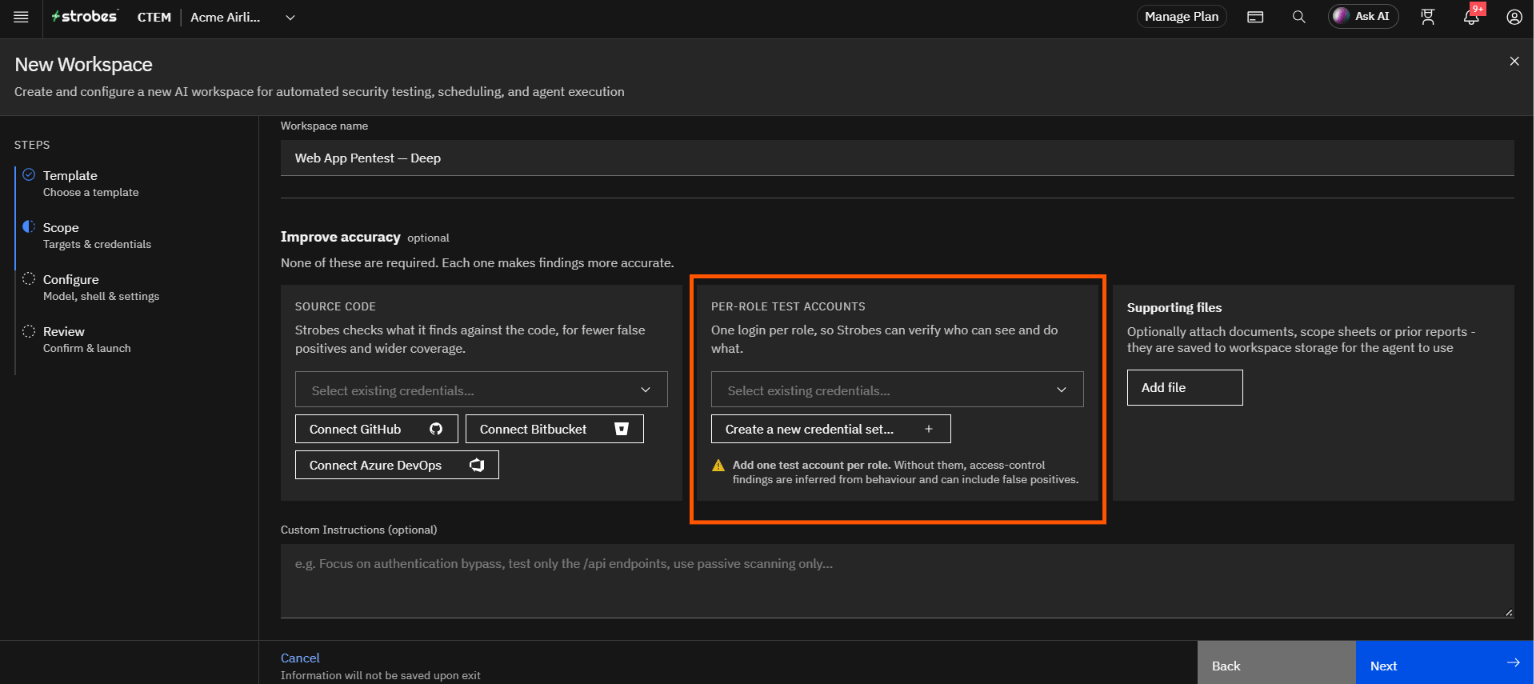
Connect source code when you can. With the repository connected, Strobes checks the findings it discovers dynamically against your code. This raises the true-positive rate and widens coverage. Use a read-only repository credential.
Plan around fragile features. Note any feature that sends email or text messages, charges a card, deletes data, or calls a third-party service. Decide in advance whether the agent should skip it, and write that into the custom instructions.
Allow the agent through your defenses. Web application firewalls, rate limiters, and bot protection can block the agent and cause a clean-looking result that is really a gap in coverage. If you test a protected application, ask your network team to allow the agent's traffic for the test window.
Set Clear Boundaries
Define the scope precisely. Enter the base URL of the application, and list the paths, subdomains, and third-party services that are out of scope, such as an external payment gateway or a single sign-on provider you do not own. Authorization to test your application does not cover the services it depends on.
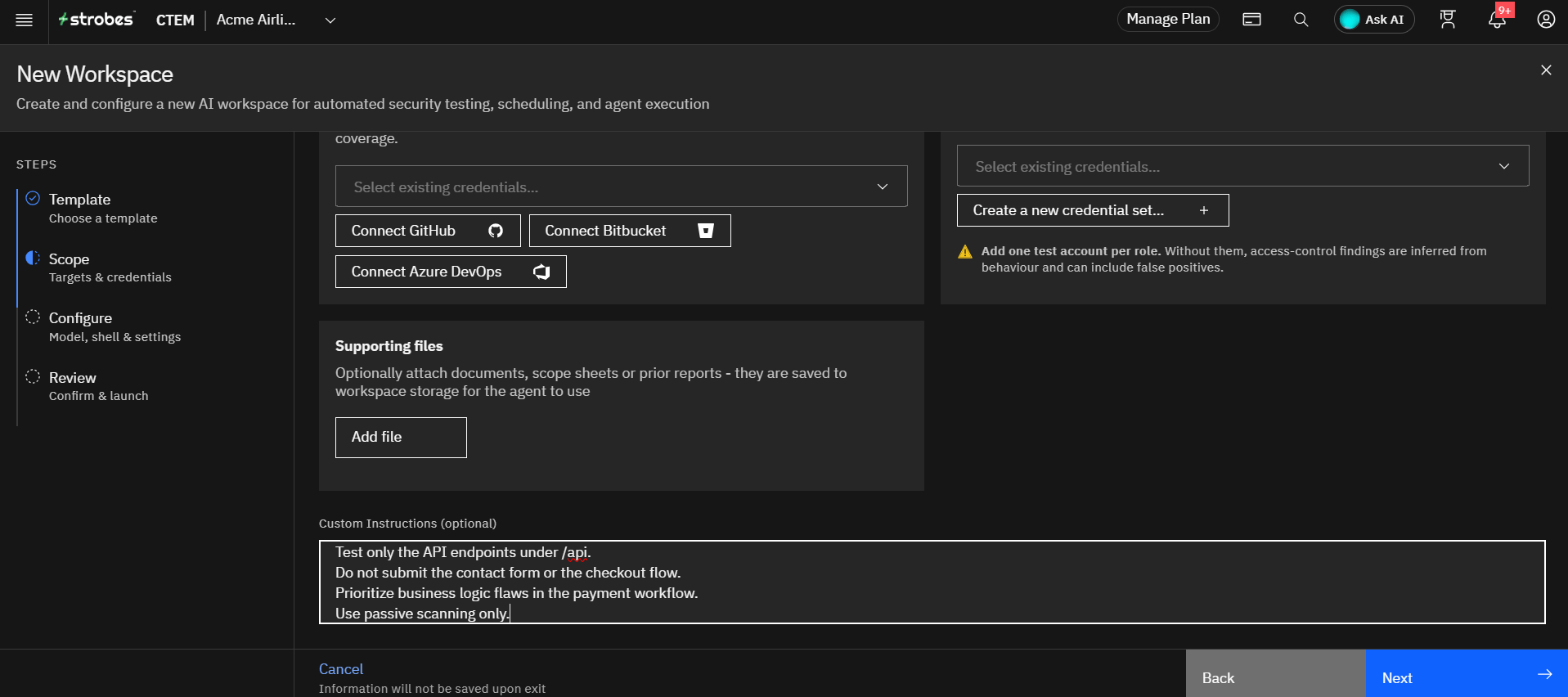
Write targeted custom instructions. The Custom Instructions field in the Scope step guides the agent. Be specific about the focus and the limits. Good examples:
- Focus on authentication and session management.
- Test only the API endpoints under
/api. - Do not submit the contact form or the checkout flow.
- Prioritize business logic flaws in the payment workflow.
- Use passive scanning only.
Choose where the test runs from. Select External for internet-facing applications. Strobes tests from its cloud sandbox, and nothing needs to be installed. Select Internal for applications behind your firewall, which needs a Bridge shell running inside your network, and select that shell as the Execution shell.
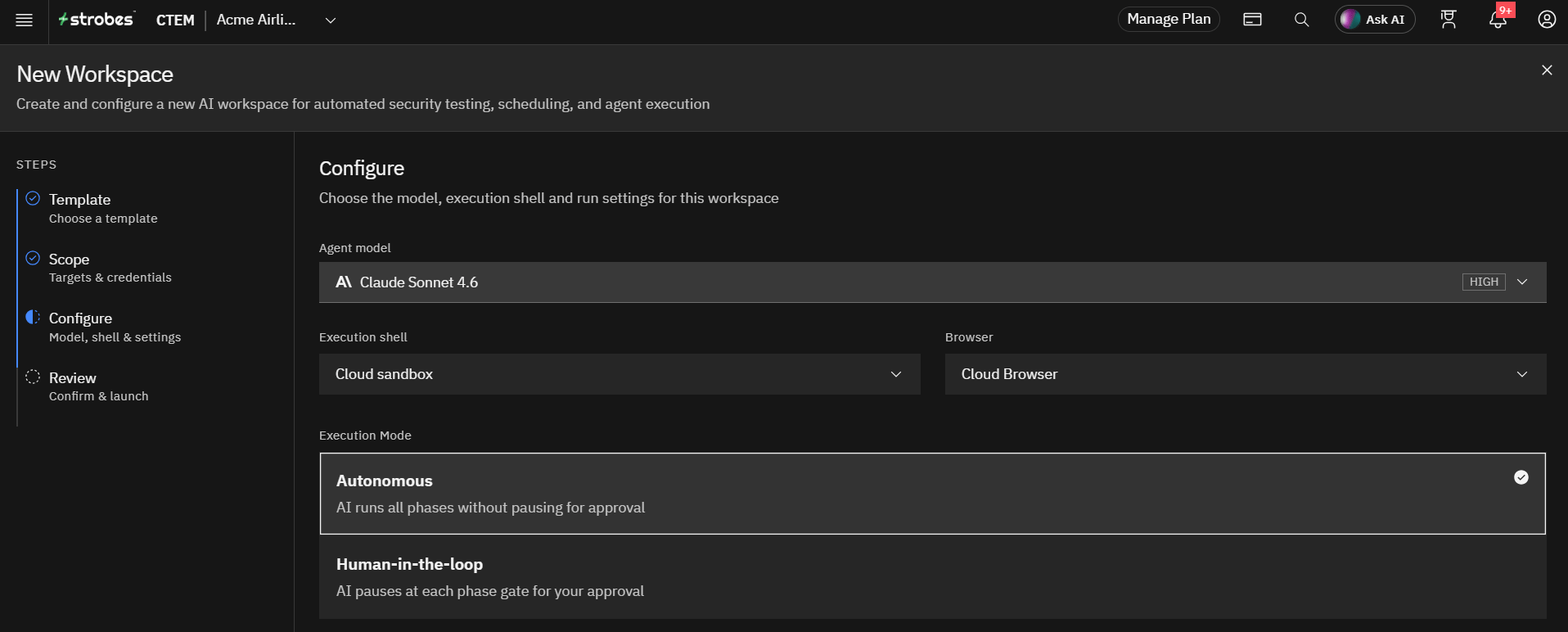
Decide how much the agent can do on its own. In the Configure step, select Human-in-the-loop for production or sensitive applications, so the agent pauses at each phase gate for your approval. Use Autonomous for staging environments or for runs you are comfortable leaving unattended.
Run the Test Safely
- Check reachability before you launch. The Review page checks whether Strobes can reach the target. Fix any problem it shows before you start, so a long run does not fail halfway and have to be repeated.
- Choose a model that fits the template. Deep runs benefit from a more capable model, and Fast runs do not need one. See "Choosing an AI Model in Strobes" for the options, and use a higher reasoning effort only when the application is complex.
- Watch the application during the run. Look for rising error rates, slow responses, locked accounts, or unexpected emails and records. If the application degrades, stop the run and investigate before you continue.
- Stay in control of risky actions. Logins against production accounts, requests that change data, and tests of payment or identity flows should only run with your approval.
- Stop for anything that looks like an incident. If the application crashes or behaves unexpectedly during the run, treat it as an incident under your normal process.
Protect Against Prompt Injection
The agent reads page content, headers, and scripts from the application while it tests. Content planted in a page can try to redirect the agent, for example hidden text telling it to ignore its instructions. Confirm with your Strobes Customer Success Manager that prompt injection guardrails are active before you test applications that accept user-generated content, such as comments, profiles, and support tickets.
Review the Findings
- Verify high-impact findings yourself. The agent reports only findings it has confirmed, but a person should check the evidence and the severity for anything critical before it goes into a report.
- Treat business logic findings with extra care. These depend on how the application is meant to behave, so confirm them with the application owner.
- Read the evidence, not only the summary. Check the request and response behind a finding to be sure it points to the right endpoint and cause.
- Handle sensitive data carefully. If the agent finds credentials, personal data, or payment data, record what was found and where, and do not copy the data out of the application.
- Escalate urgent findings immediately. If the agent finds an actively exploitable issue, tell the application owner right away instead of waiting for the final report.
Keep Testing Over Time
Retest after fixes. Run the test again after the team ships fixes, to confirm that the issues are closed and that nothing new appeared.
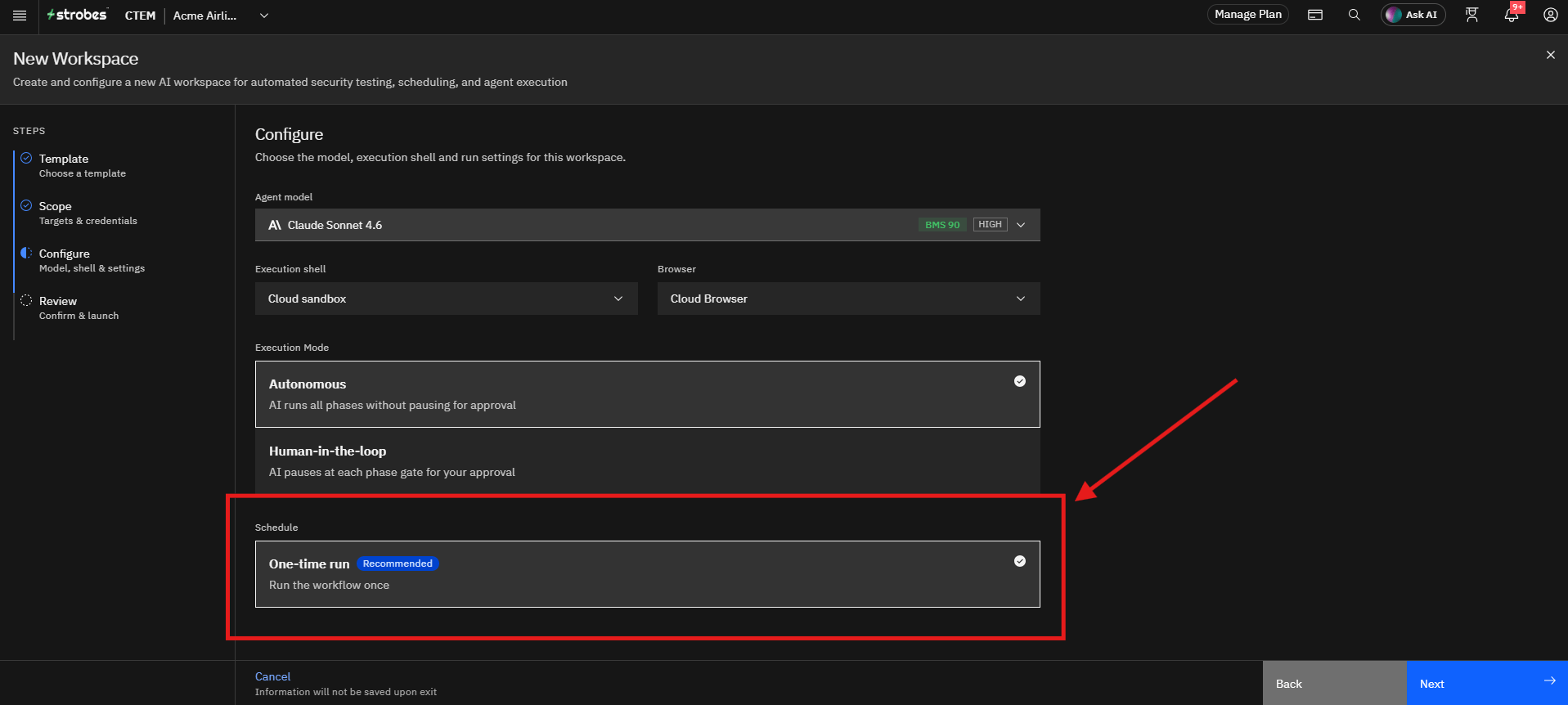
Schedule recurring tests. Applications change with every release. In the Configure step, you can replace the one-time run with a recurring schedule so that testing keeps pace with development.
Compare runs. Track which classes of issue keep returning and which pages produce the most findings, and use that to improve your secure development practices and your custom instructions.
Tips
- Per-role test accounts and connected source code are optional, but they are the two biggest accuracy improvements you can make.
- A clean result is only as good as the coverage behind it. Confirm that the agent could reach every part of the application, including areas behind a login.
- Keep instructions short and specific. A narrow instruction such as "test only the checkout flow" gives more reliable results than a broad one.
- Use Human-in-the-loop on production, and Autonomous on staging.
- Only test applications you are authorized to test.
More in Planning & best practices
Was this page helpful?