
Configuring Threat Intel
1 min readEdit
On this page⌄
- Default Threat Intelligence: XO Intel
- XO Intel provides real-time risk enrichment based on:
- Using Third-Party Threat Intelligence Sources
- Important Note:
- How to Configure a Third-Party Threat Intelligence Integration
- Step 1: Access Threat Intelligence Settings
- Step 2: Choose Your Provider
- Step 3: Input Required Credentials
- Step 5: Save and Apply
- Best Practices
Strobes allows you to enrich your vulnerability data using Threat Intelligence (TI), helping you associate real-world risk context to each vulnerability. This empowers better prioritization and decision-making during remediation.
Default Threat Intelligence: XO Intel
By default, Strobes comes integrated with XO Intel, our in-house threat intelligence engine. XO Intel is:
- Built by the Strobes team
- Continuously updated
- Free to use with all accounts
- Automatically enabled—no configuration required
XO Intel provides real-time risk enrichment based on:
- CVE severity trends
- Exploitation in the wild
- Affected assets in global attack campaigns
- Ransomware mentions, and more
Using Third-Party Threat Intelligence Sources
If your organization uses or prefers a third-party TI provider, Strobes supports easy integration with services like:
- Intel Graph
- Other external TI APIs
Important Note:
You can configure only one Threat Intelligence provider at a time. You must choose either XO Intel or your preferred third-party TI source.
How to Configure a Third-Party Threat Intelligence Integration
To set up a custom Threat Intelligence provider, follow these steps:
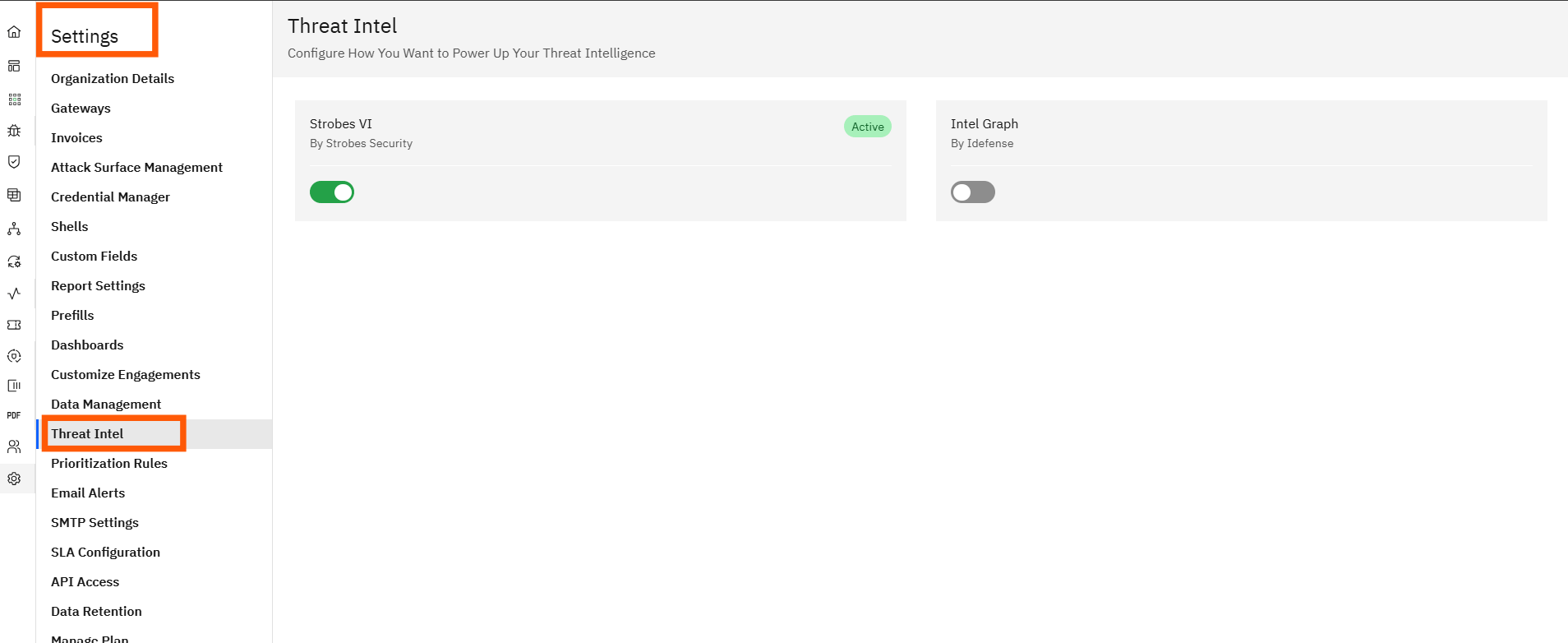
Step 1: Access Threat Intelligence Settings
- Navigate to the Settings section in your Strobes dashboard.
- Click on Threat Intelligence Configuration.
Step 2: Choose Your Provider
- Select the third-party threat intelligence provider from the list.
- If your provider isn't listed, choose Intel Graph.
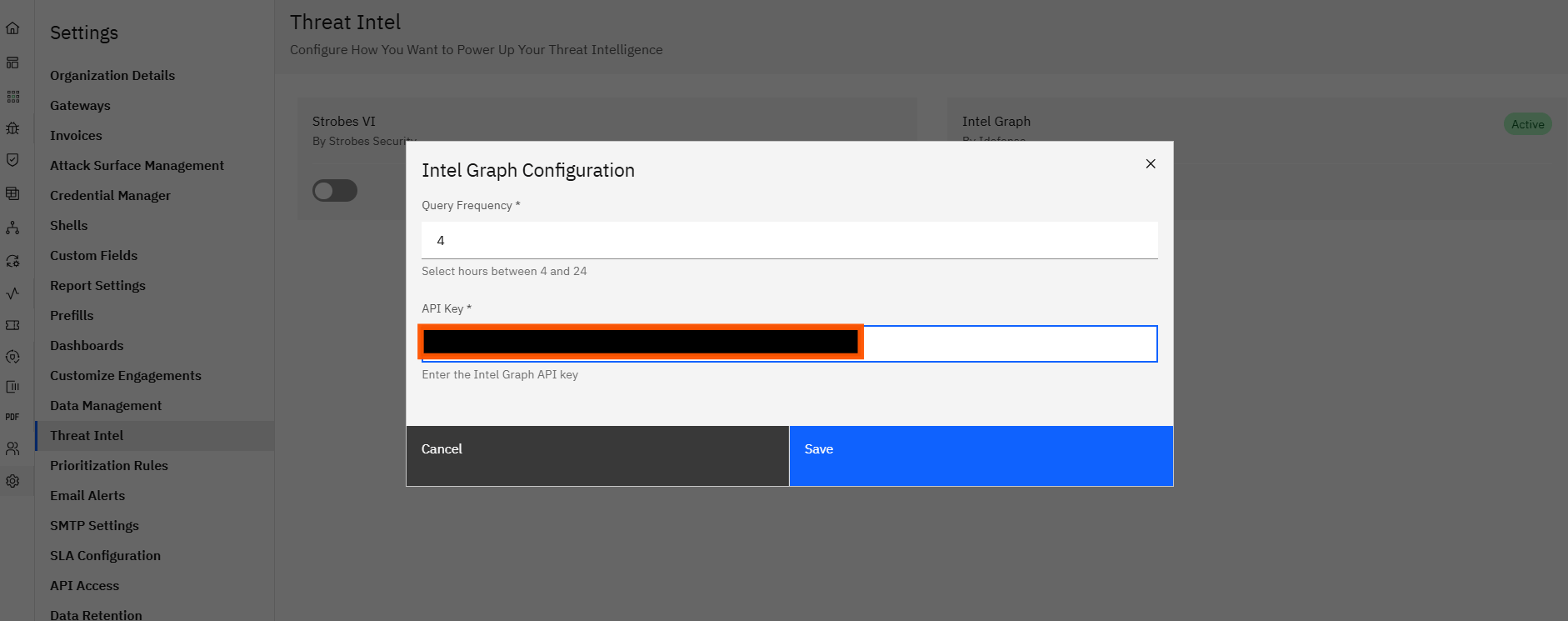
Step 3: Input Required Credentials
- Query Frequency: Set how often Strobes should fetch data (e.g., hourly, every 6 hours, daily).
- API Key: Enter the API key or token provided by your threat intelligence provider.
- Be sure to comply with the provider's rate limits to avoid service disruptions.
Step 5: Save and Apply
- Click Save Changes.
- Your threat intelligence integration will now go live.
- Strobes will begin enriching vulnerabilities using the newly configured data source.
Best Practices
- Use XO Intel if you want real-time threat context without extra cost or configuration.
- Switch to third-party TI only if your organization has specific intelligence sources it trusts more or already subscribes to.
- Review enrichment results regularly to ensure you're getting meaningful context on vulnerabilities.
More in Prioritization & SLAs
Was this page helpful?