
Logging Hours for Assessments
1 min readEdit
In order to keep a track of the amount of time spent on each assessment within engagements, a user can log the hours. The following are the instructions to log the hours.
- Navigate to the 'Engagements' page.
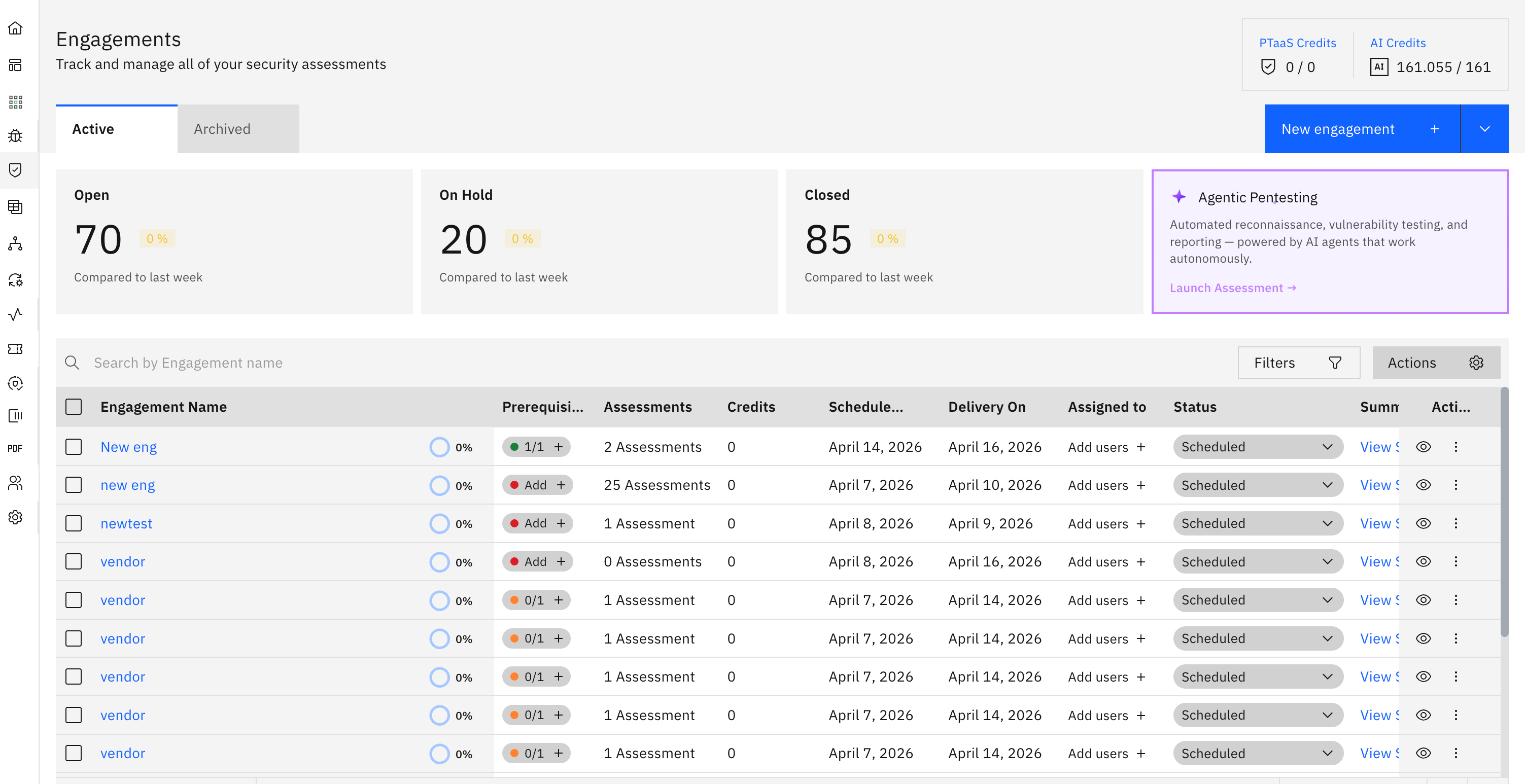
- Select the engagement for which you need to log hours.
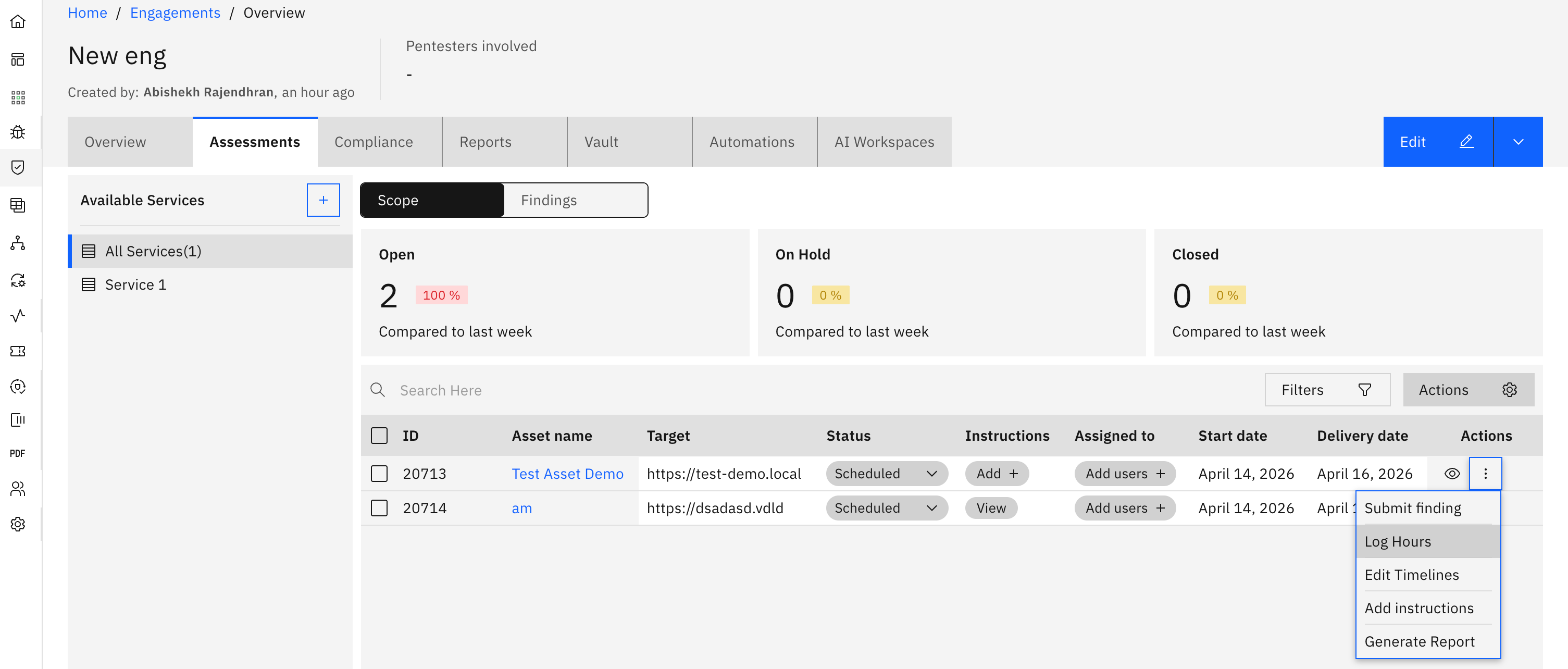
- Click on the 'Actions' option for the assessment against which you need to log hours.
- Click on 'Log Hours'.
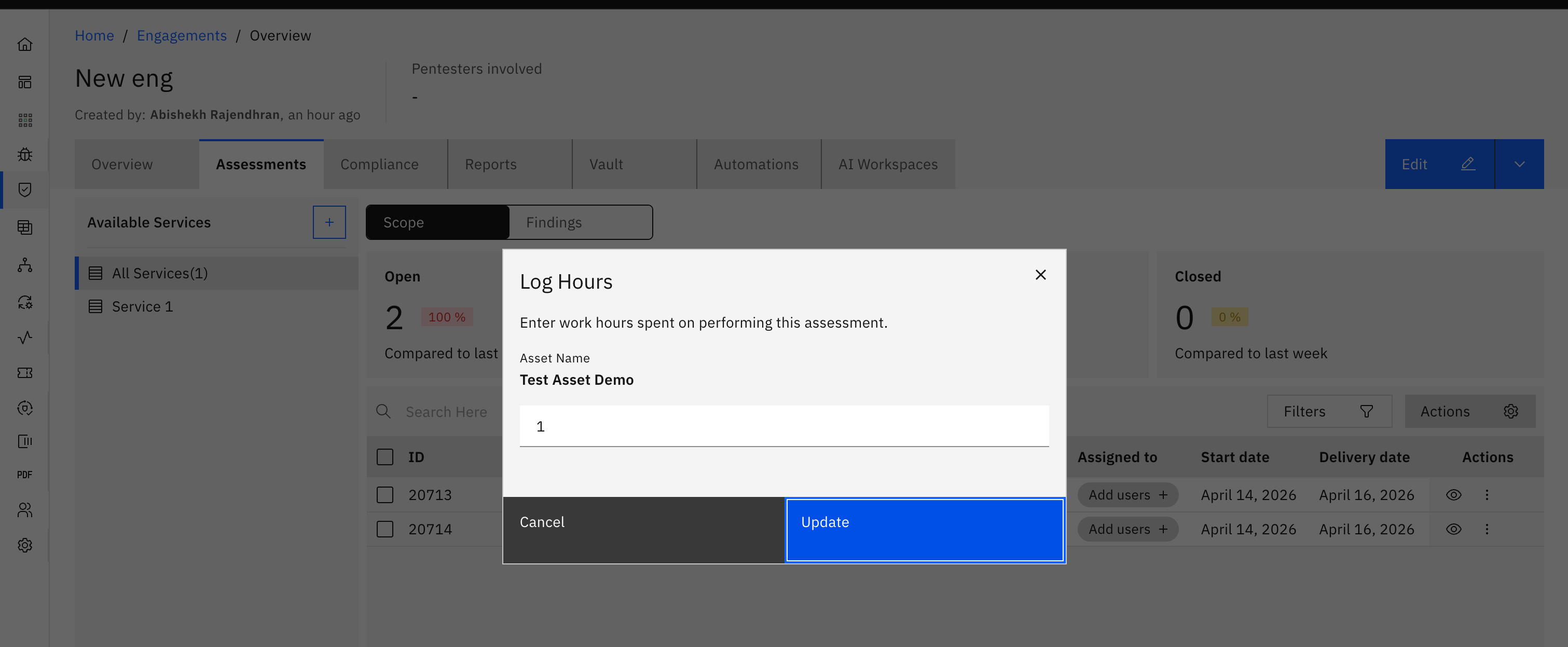
- Enter the number of hours spent and click on 'Update'.
Tip: Keeping your hours updated helps with better project tracking and reporting!
More in Running engagements
Was this page helpful?