
Data Retention
1 min readEdit
There are five options available for which you can apply a data retention policy. The following are the options:
- Reports: The duration for which you want the generated vulnerability reports to be retained on the platform before they get permanently deleted.
- Logs: The duration for which you want the generated logs from various connectors to be retained on the platform before they get permanently deleted.
- Assets: The duration for which you want the archived assets to be retained on the platform before they get permanently deleted.
- Vulnerabilities: The duration for which you want the archived vulnerabilities to be retained on the platform before they get permanently deleted.
- Engagements: The duration for which you want the archived engagements to be retained on the platform before they get permanently deleted.
NOTE: If none of the options are enabled, then the generated data will be stored indefinitely.
Enabling Data Retention Policies
- Navigate to 'Data Retention' under 'Settings'.
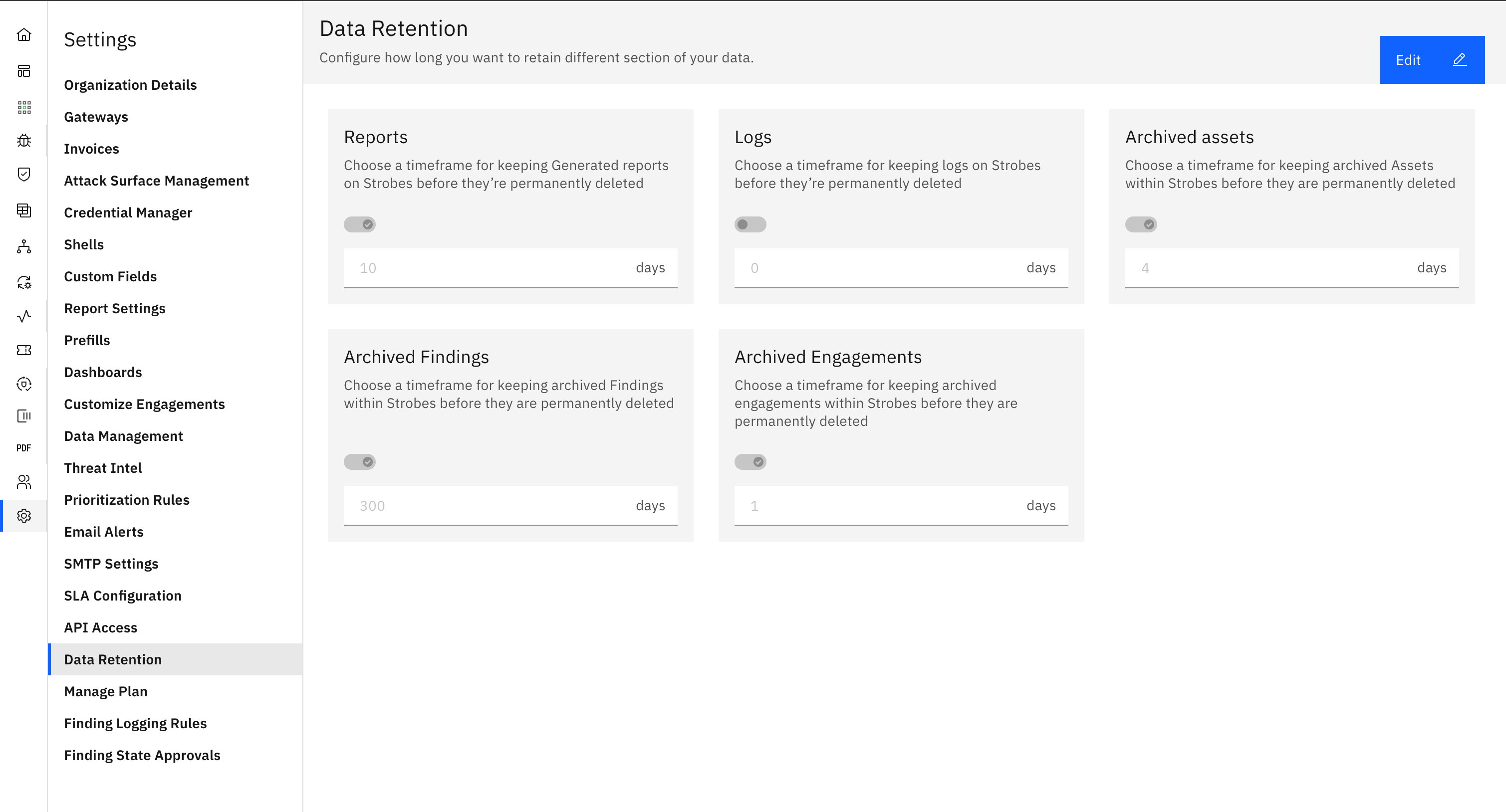
- Click on 'Edit'.
- Choose the option for which you want to enable the data retention policy. In this case we are choosing Reports.
- Toggle the option and enter the number of days.
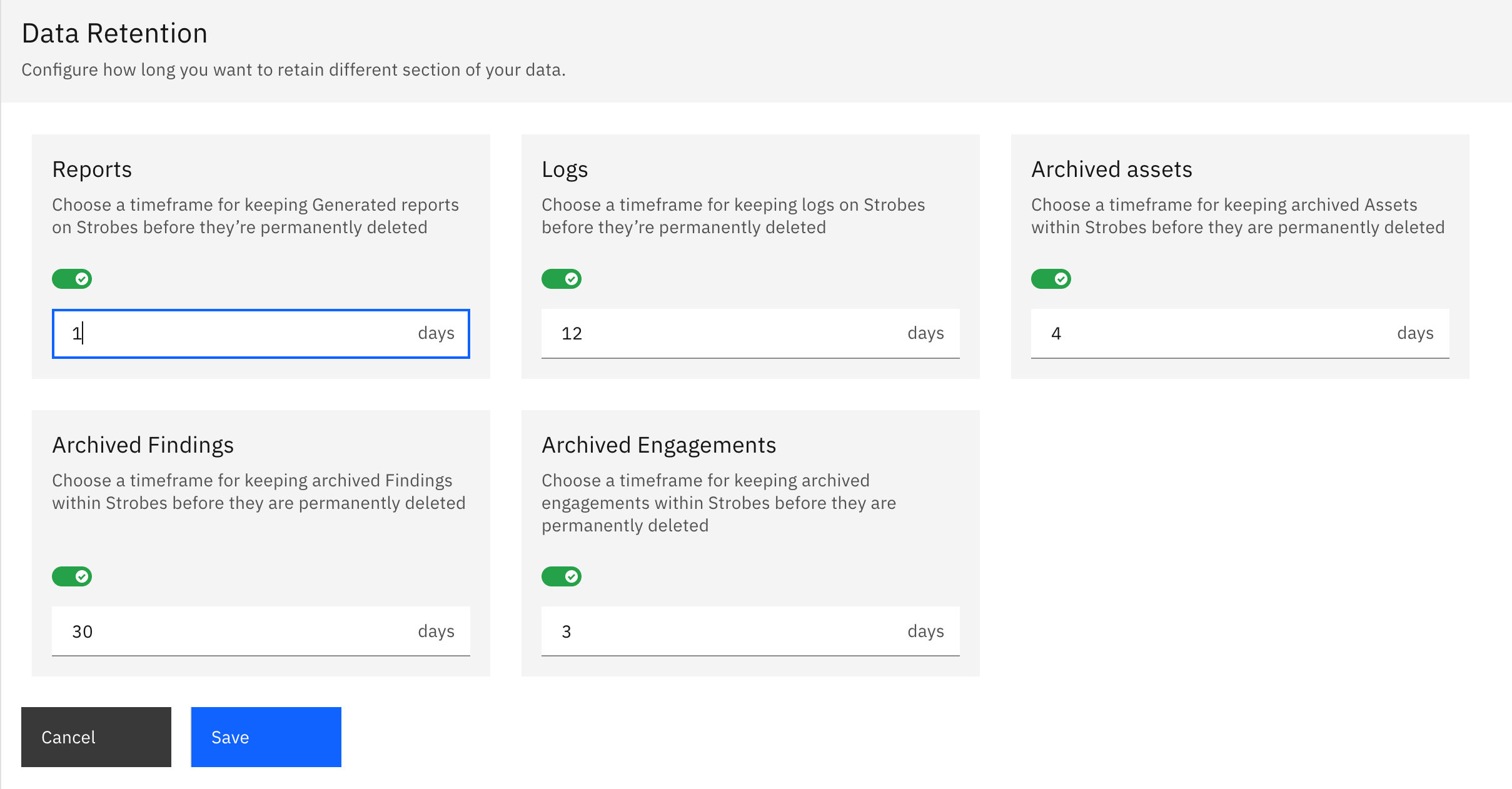
- Click on 'Save' and all the generated vulnerability reports will now be deleted after the selected number of days (7 days in this case).
More in Administration
Was this page helpful?