
Import assets from AWS environment
1 min readEdit
On this page⌄
Background
Strobes makes it easy for you to import your cloud assets from your AWS environment. Not just that, you have the option to fetch the assets in a timely manner.
Usage flow instructions
- Before you do anything, you must add your AWS credentials to the platform.
- To do that, login into your account and navigate to the Credential Manager page under Settings.
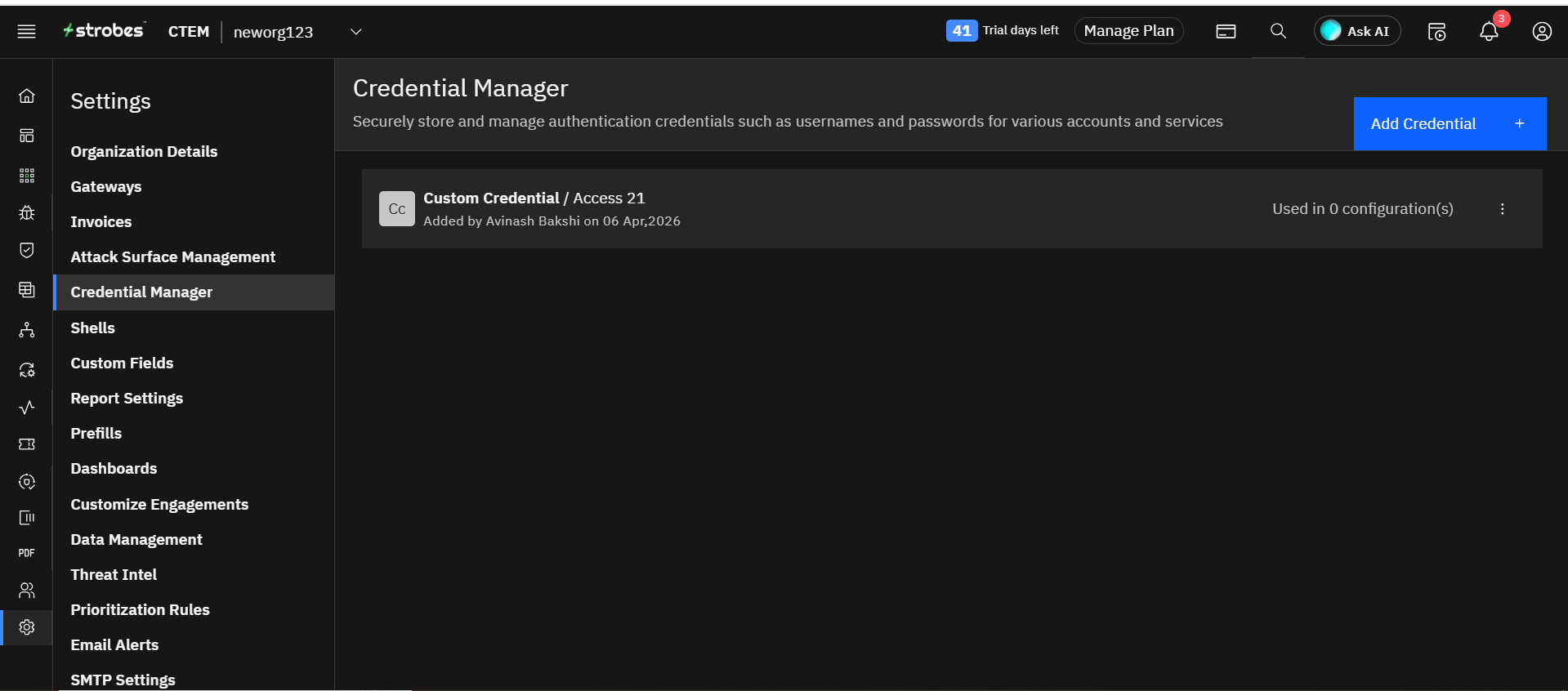
- Click on Add credential button and select AWS Manager from the dropdown. Provide the necessary details and click Save.
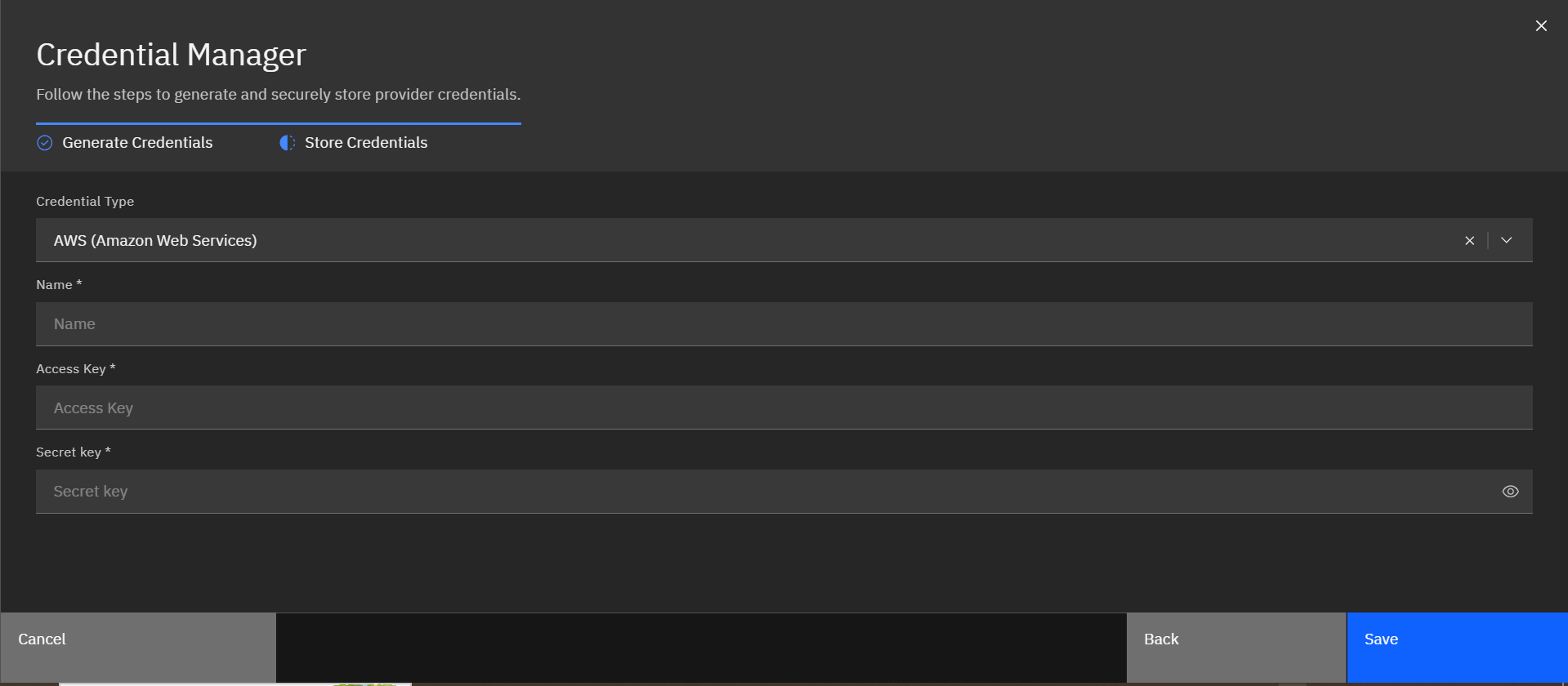
- Strobes will verify the details and create a Credential for you to reuse with AWS Asset Inventory Connector.
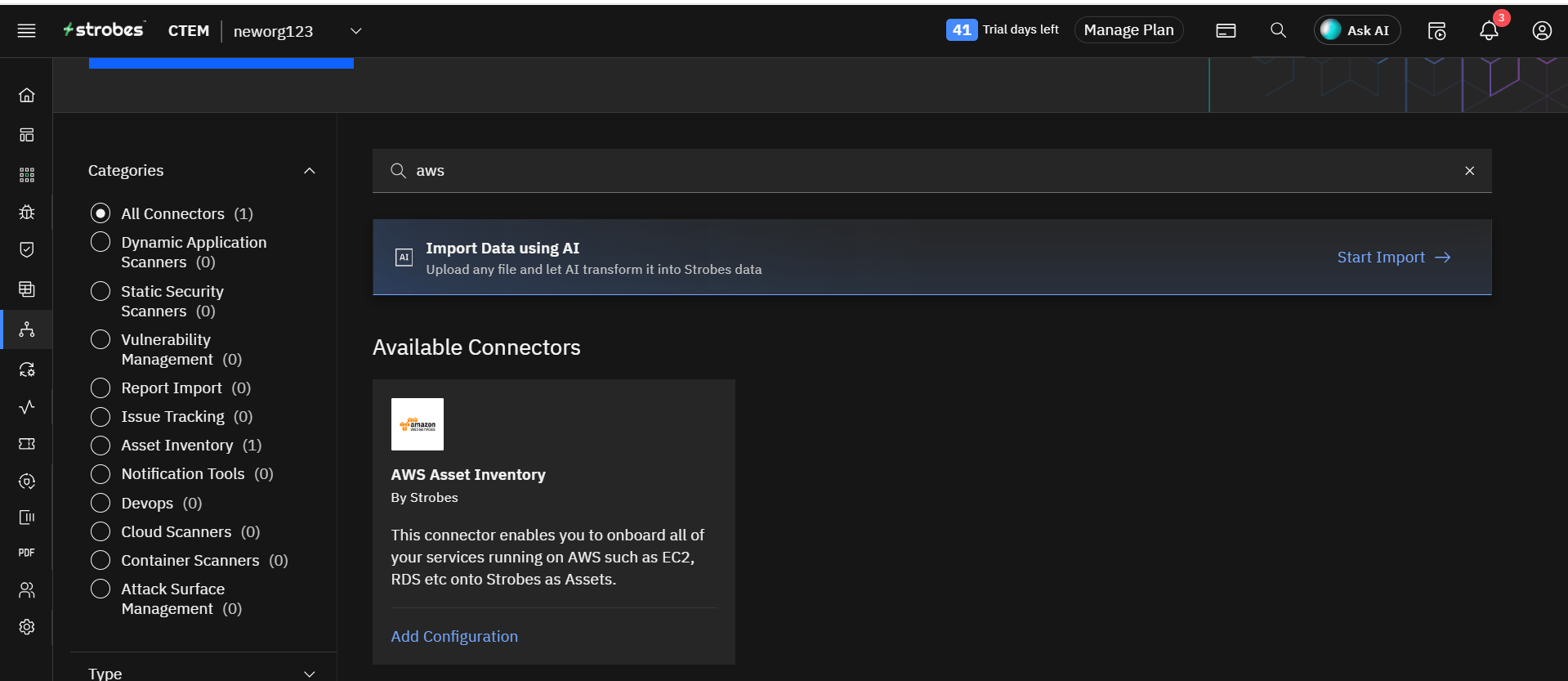
- Now, head over to the Asset Inventory under the Category page click on AWS Asset Inventory Connector.
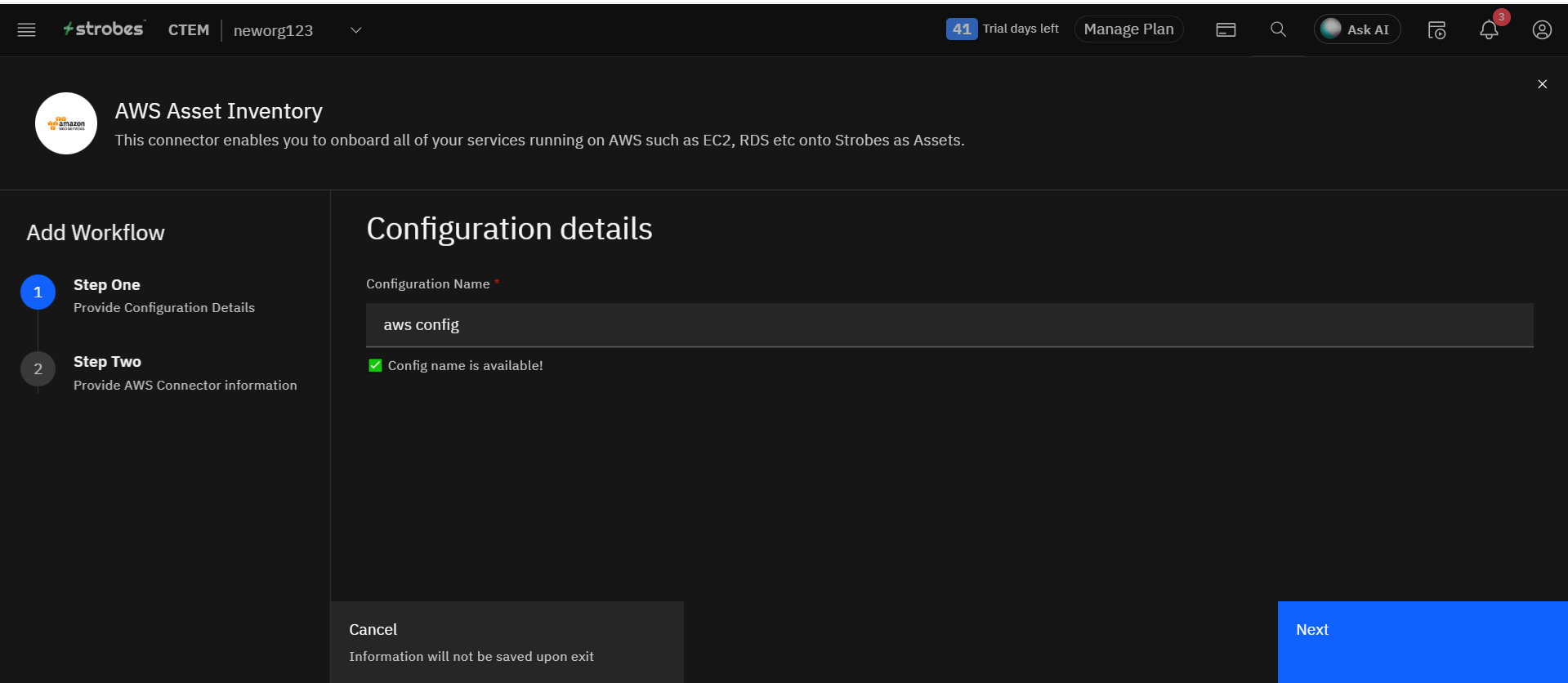
- In Step One, enter the configuration name and click Next.
- In Step Two, select the credentials that you have added previously.
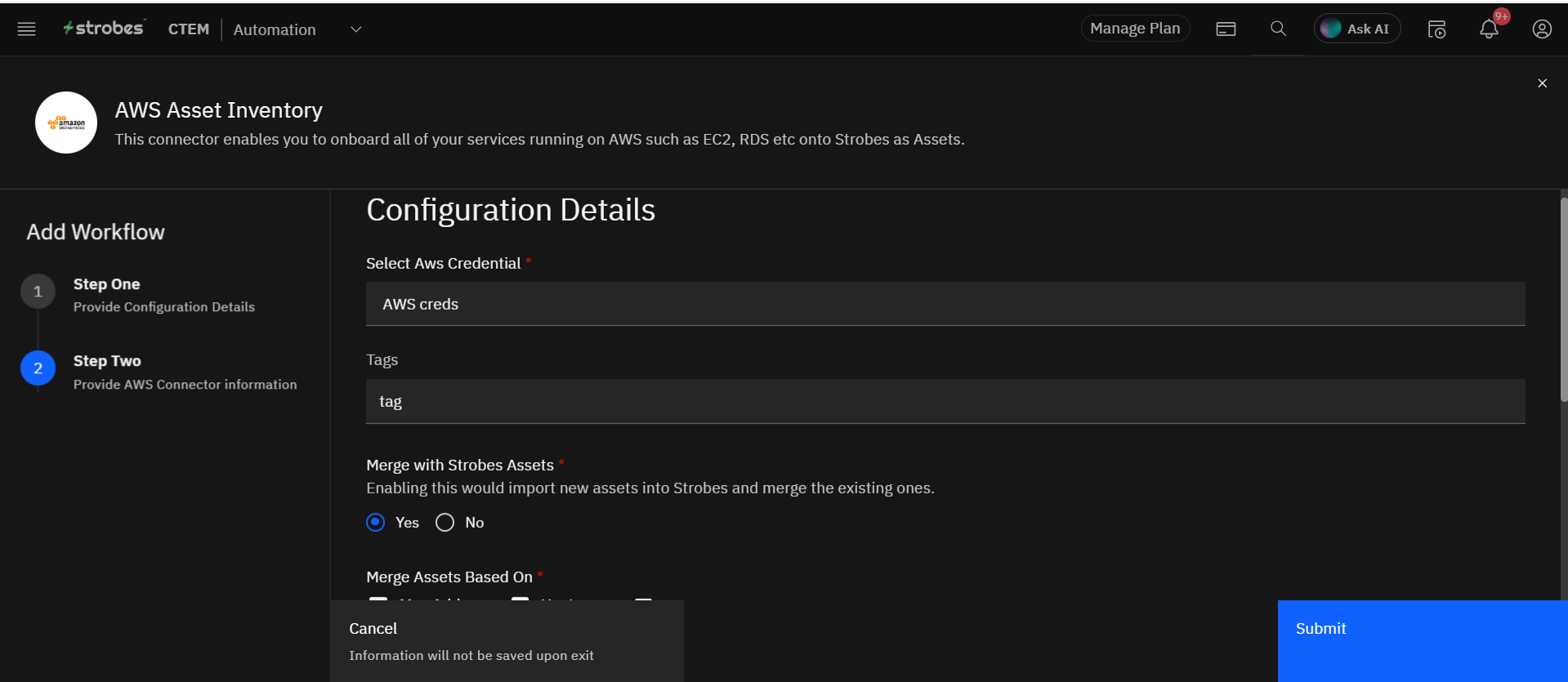
- Choose your asset merging options.
- You also have the option of fetching the assets frequently.
- Once you are done, click Submit to create the configuration.
- Now, you can click on Sync now to fetch the asset on-demand basis, or if you have scheduled when the configuration gets triggered, Strobes will import the assets from your AWS environment.
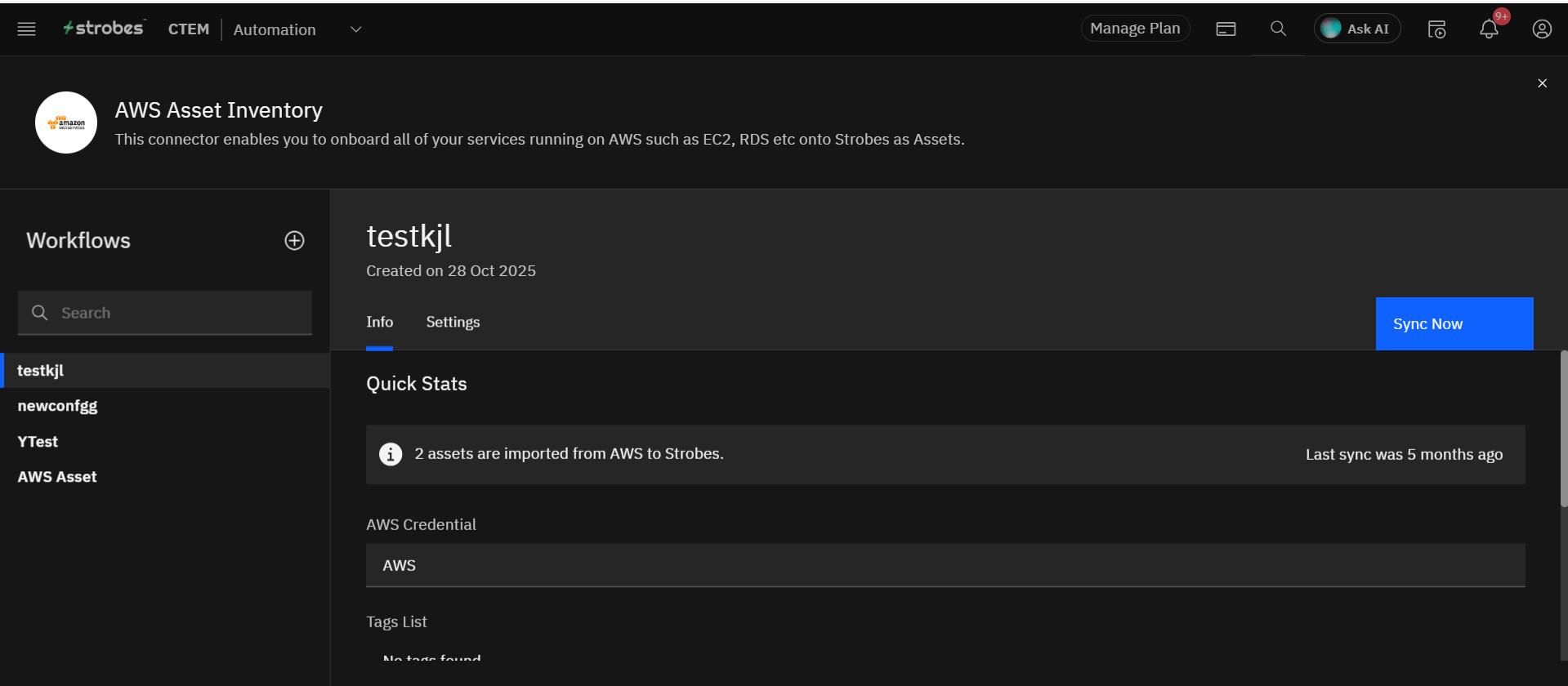
- Once the sync is done, you will get to see how many assets Strobes imported onto the platform.
More in Assets
Was this page helpful?