
Initiating a CloudSploit Scan
1 min readEdit
In order to initiate a CloudSploit scan you will have to configure your AZURE credentials first. More about how to configure AZURE credentials here.
Usage Flow Instructions
- Once you have configured your credentials, navigate to 'Cloud Scanners' under 'Connectors' and click on 'CloudSploit'.
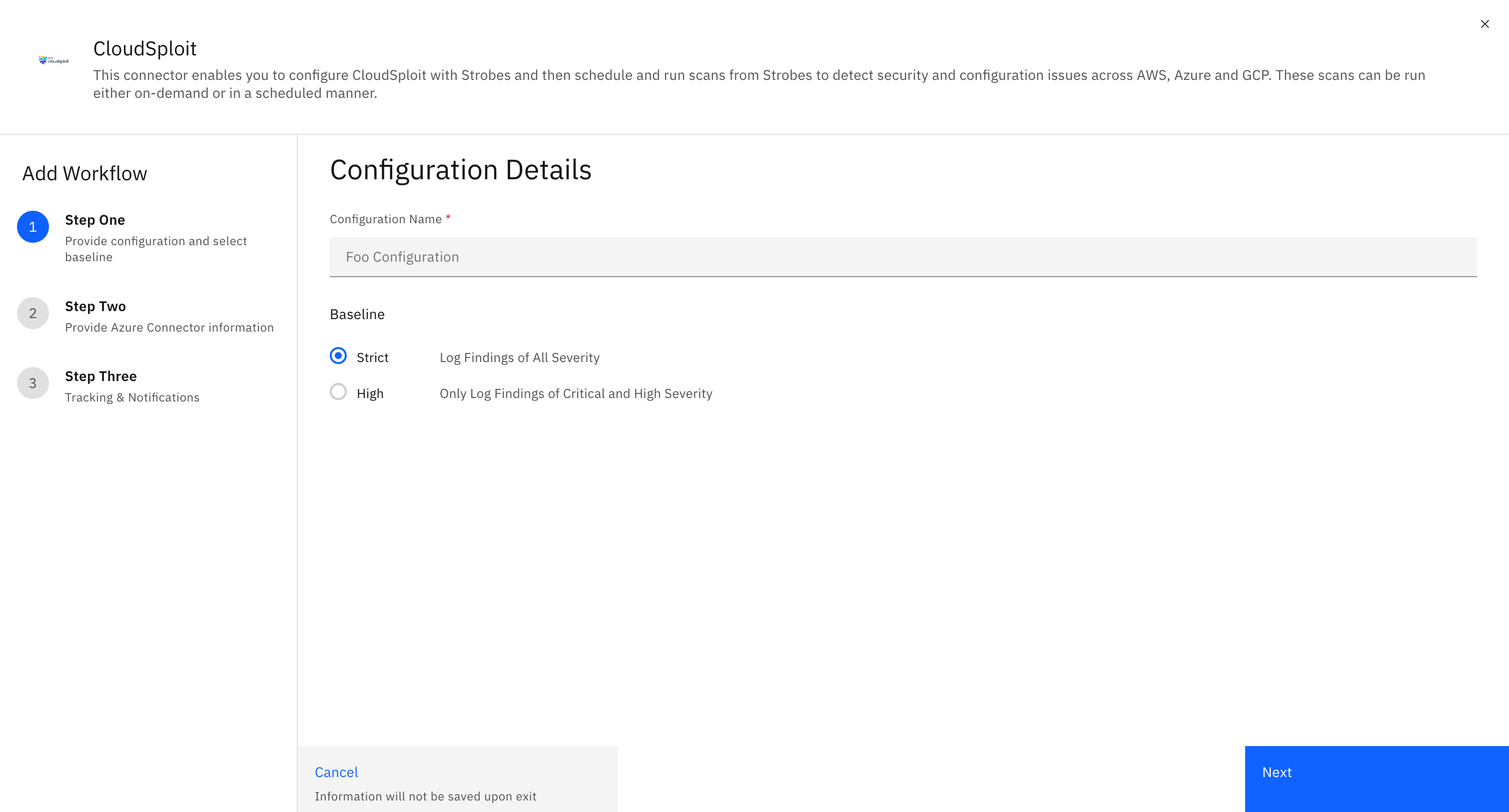
- You will be prompted to enter your configuration details.
- Enter your 'Configuration Name', select a 'Baseline' to log the vulnerabilities and click on 'Next'.
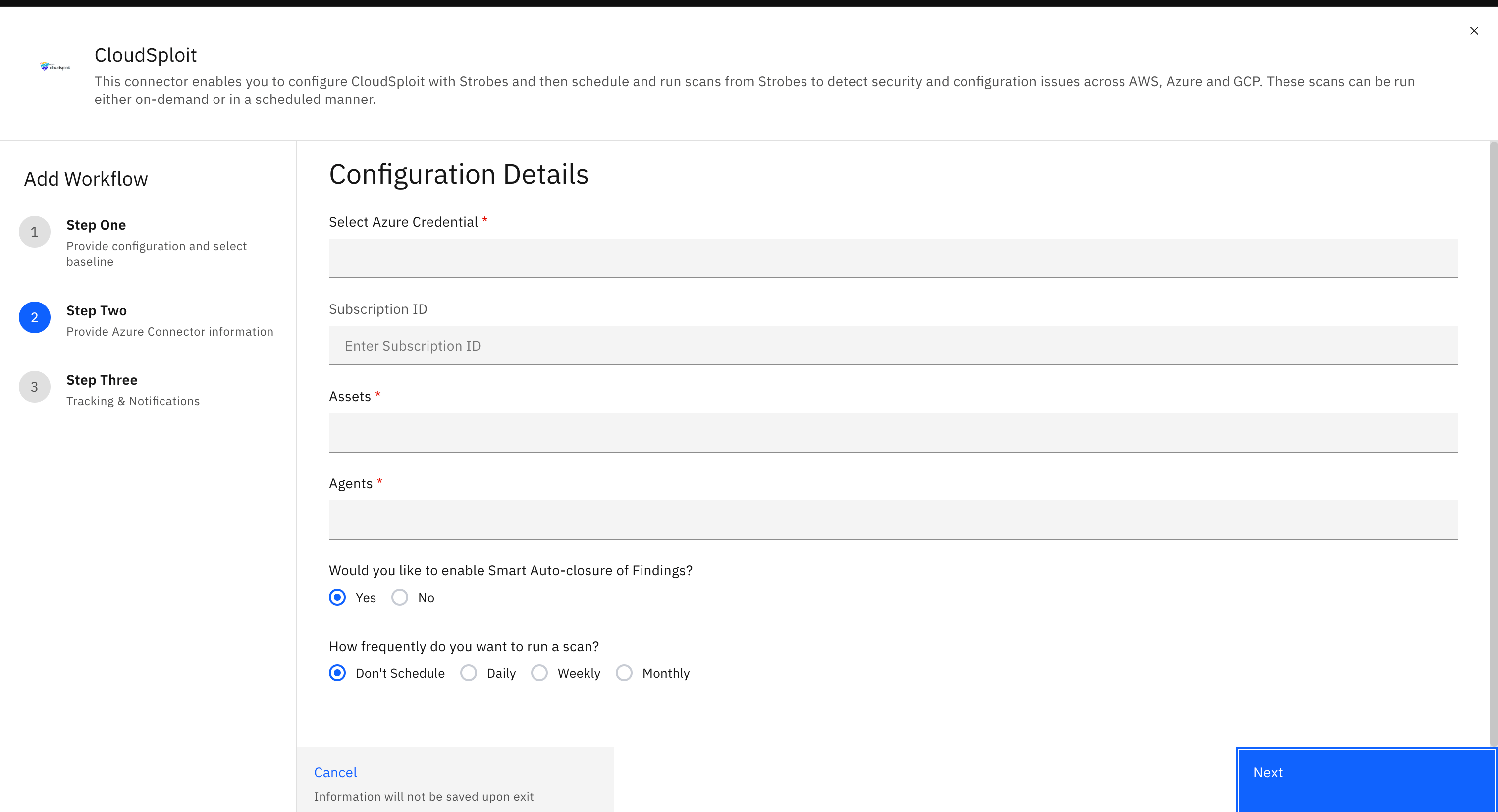
- Now select your 'Azure Credential', the 'Asset' against which you want to log the vulnerabilities, the 'Agents' as Strobes Default Agent, and the frequency at which you want to run this scan and click on 'Next'.
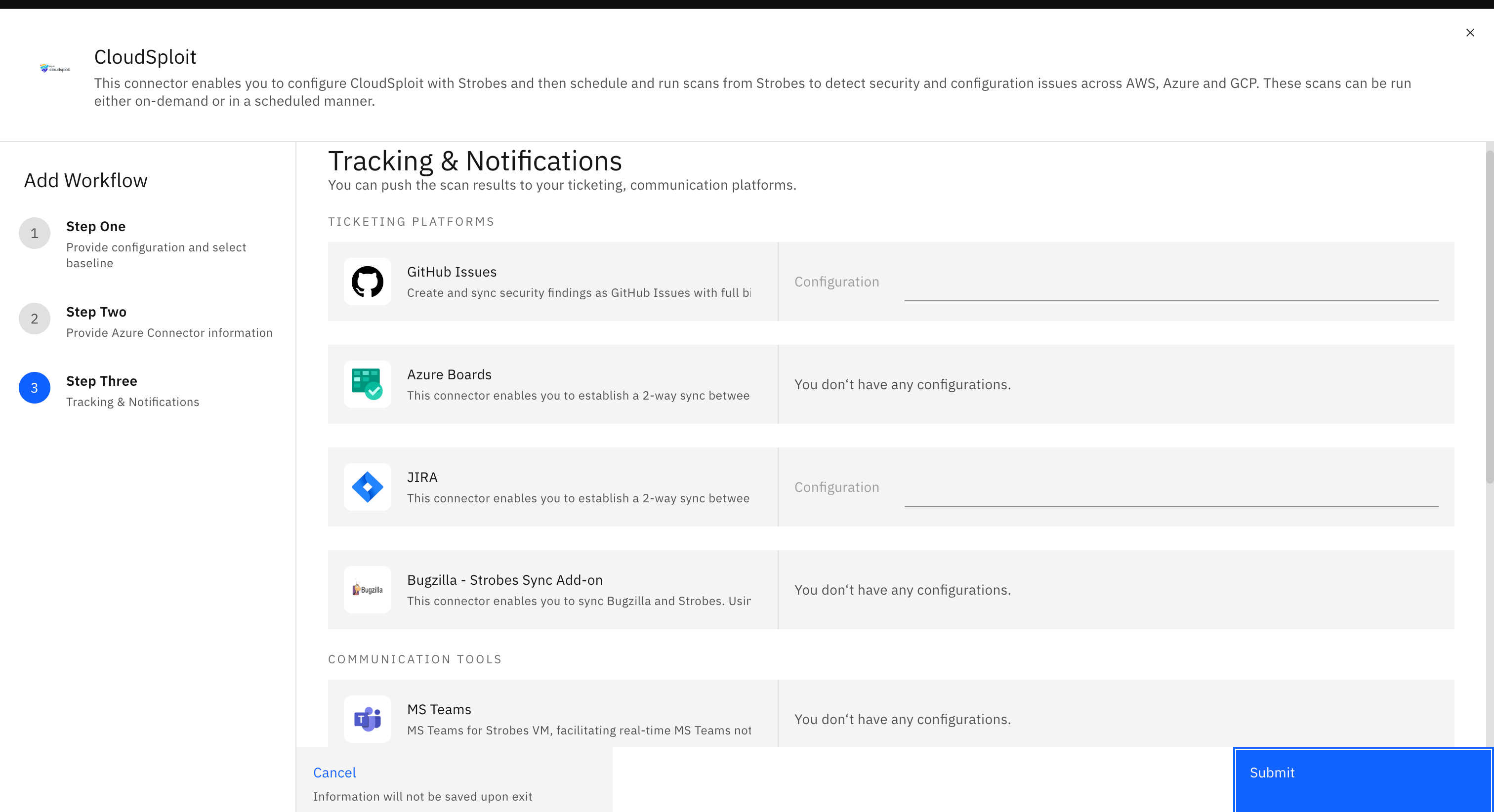
- Select any Tracking & Notification tool configurations if needed and click on Submit.
- The configuration is now created for you.
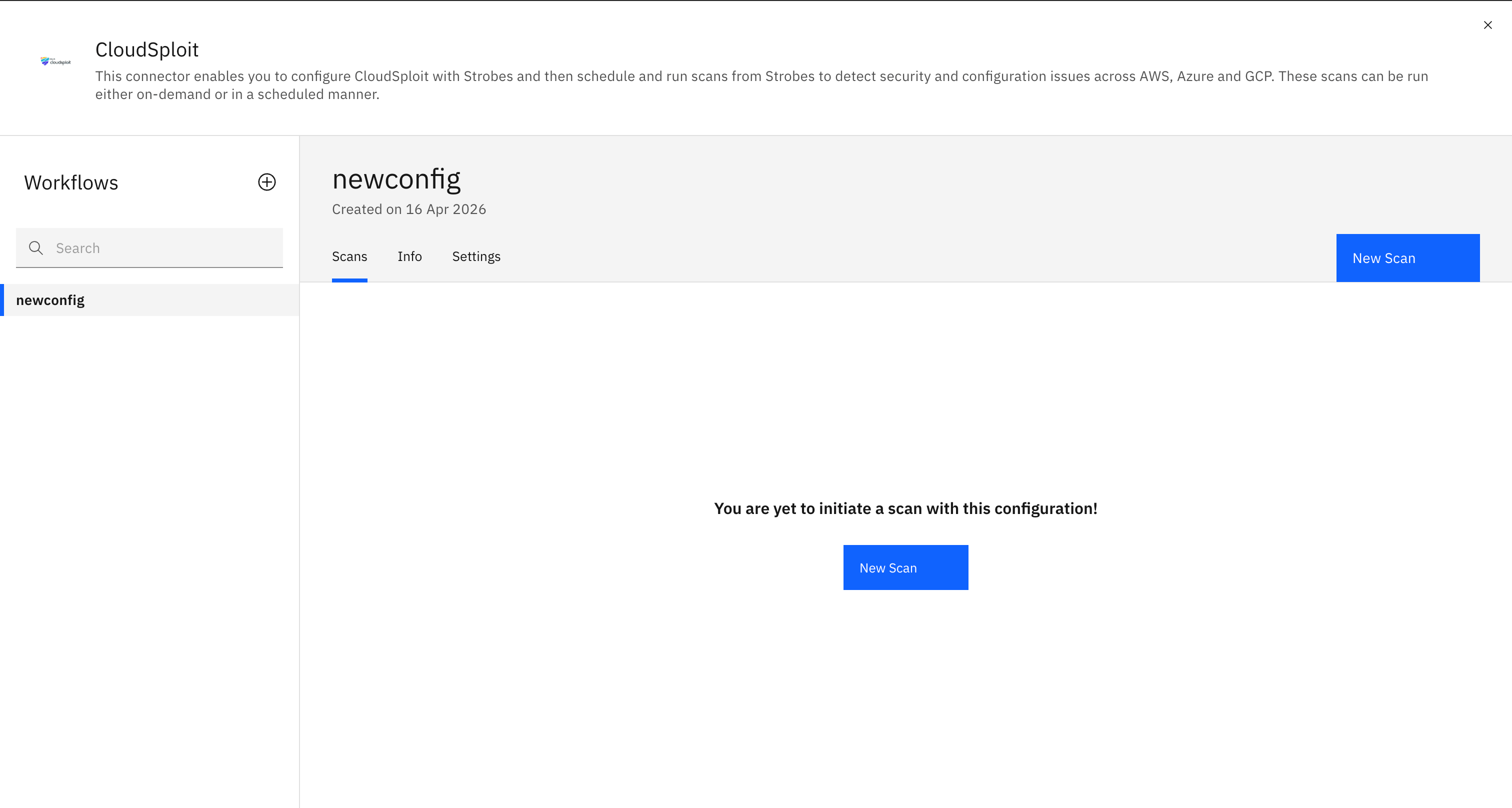
- Click on 'New Scan' and the scan will get initiated. Once the scan is done, the results will get populated against the Asset which you have chosen.
More in Third-party scans
Was this page helpful?