
Configuring Veracode credentials
1 min readEdit
Pre-requisites
- Generate Veracode API client ID & secret https://docs.veracode.com/r/t_create_api_creds
Configuration
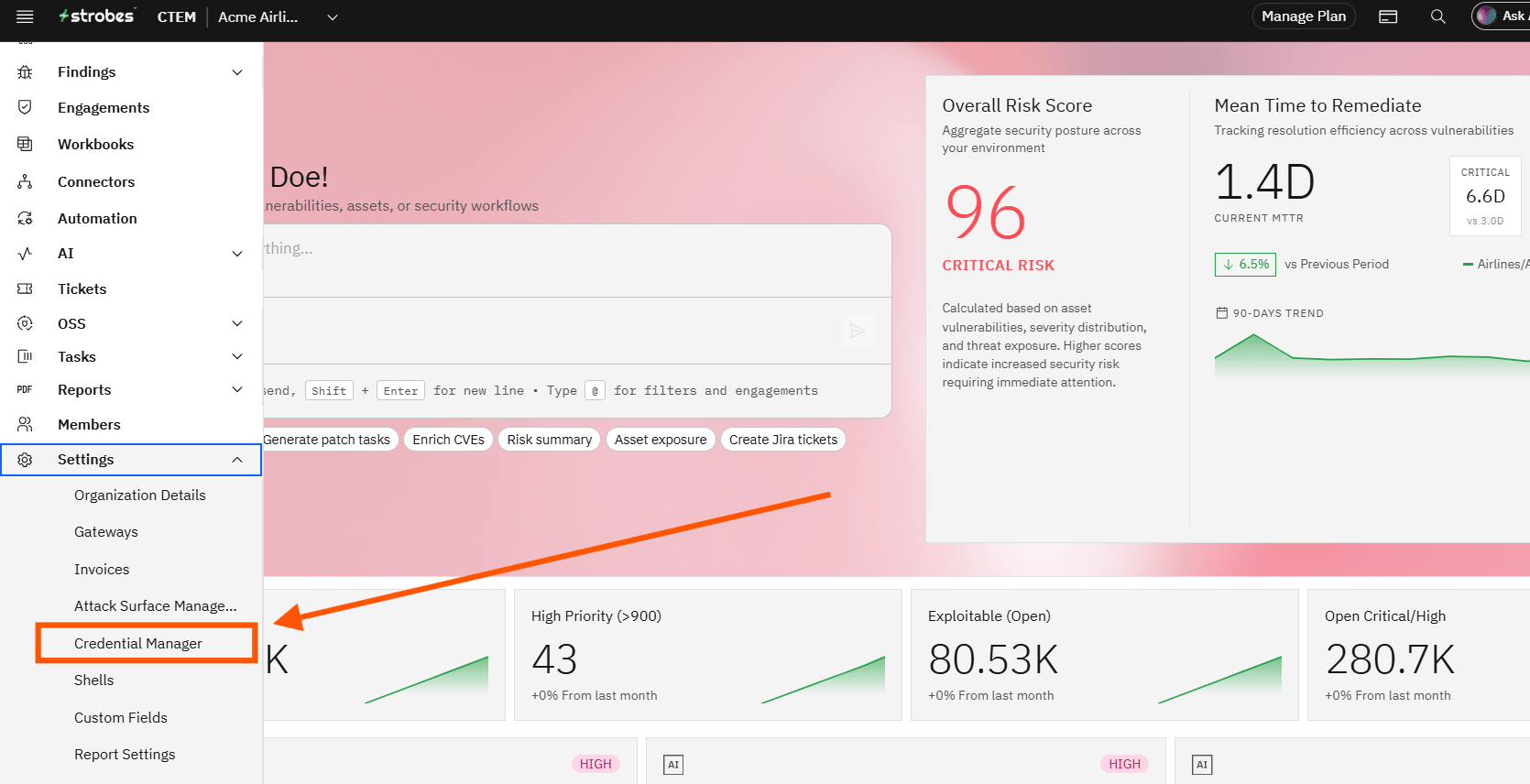
- Navigate to 'Settings' and click on 'Credential Manager'.
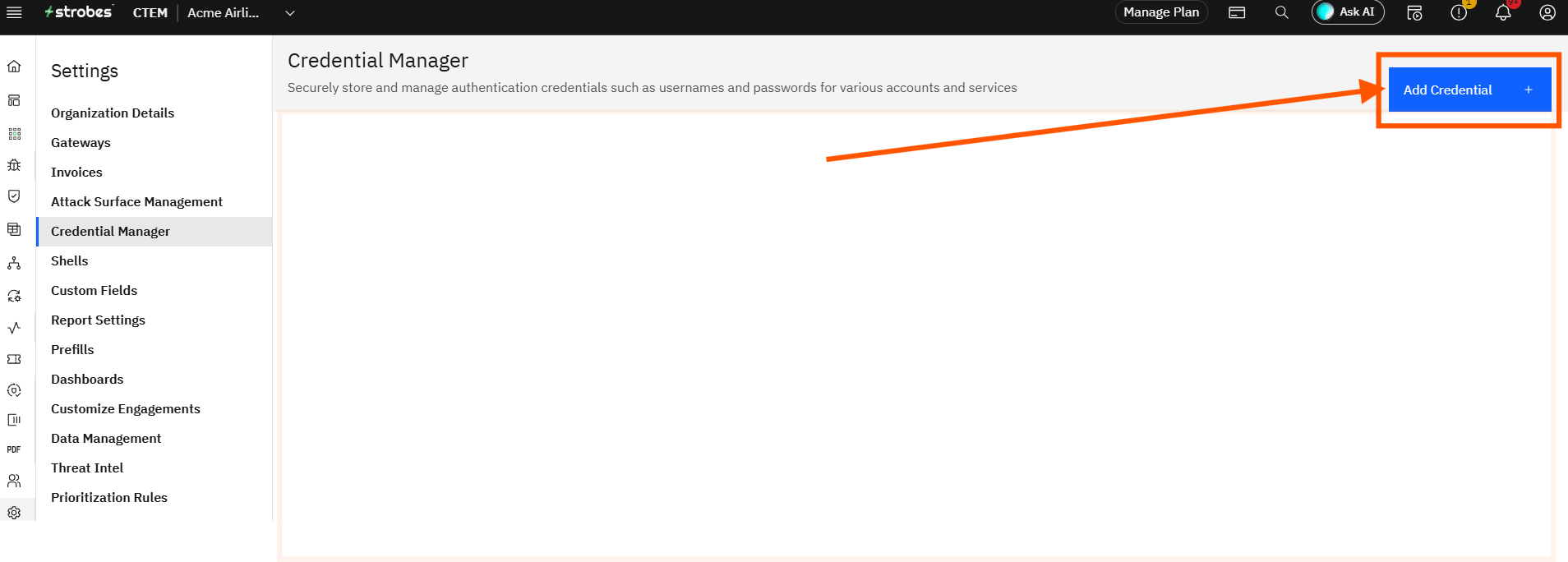
- Click on 'Add Credential'.
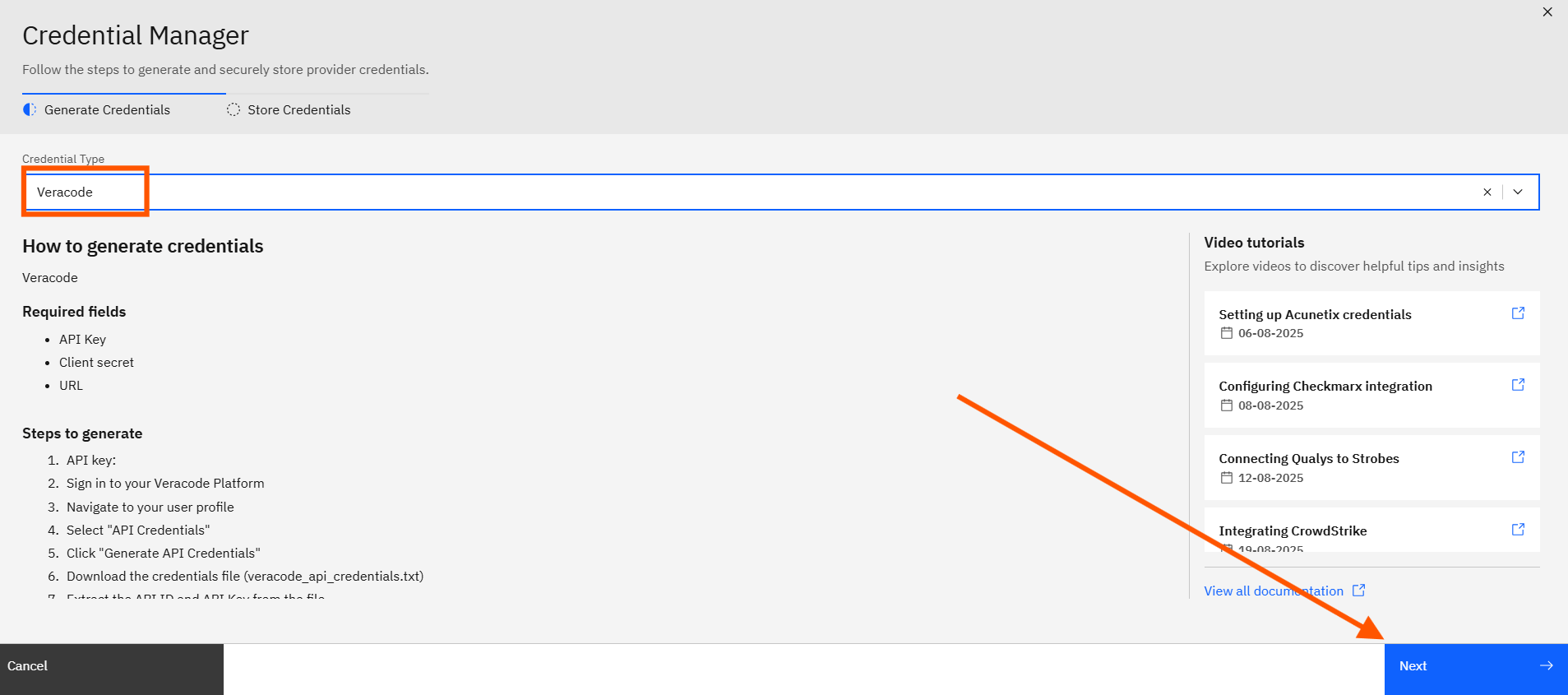
- Now select your connector as 'Veracode'.
- Enter the 'Name' for your configuration, your 'Api Key and Client Secret'. More on how to obtain api key and secret here.
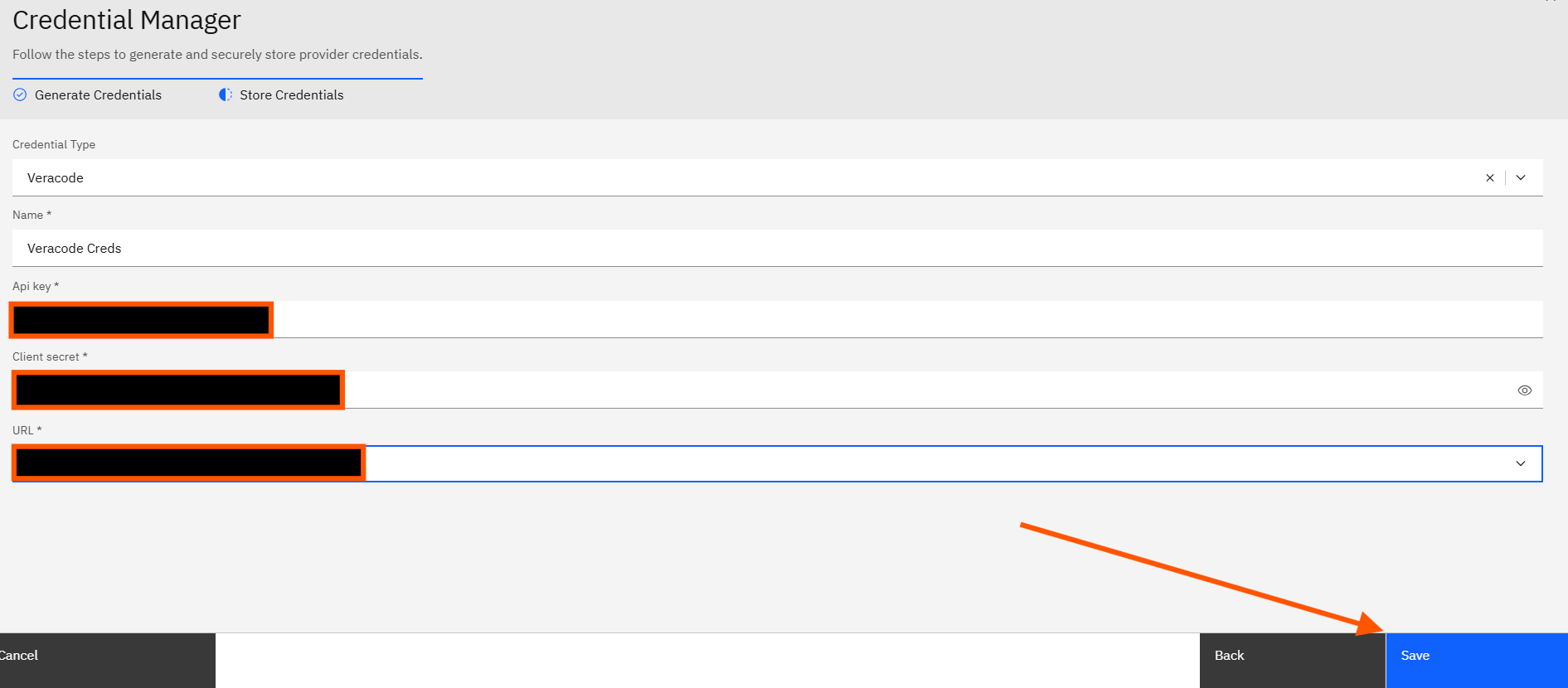
- Click on 'Save' and your veracode credentials will get saved.
More in Application security tools
Was this page helpful?