
API Security Testing
This article shows how to run an API-focused security assessment on Strobes using the API Security Testing template. The template covers REST and GraphQL endpoint discovery, authentication and authorization testing, BOLA / BFLA, input validation, and rate-limit safety.
Prerequisites
Before launching an API Security Test, ensure the following:
- You have a Target URL for the API base (e.g.,
https://api.acme.com). - You have an OpenAPI / Swagger spec (
openapi.jsonoropenapi.yaml) or a Postman collection describing the endpoints. Uploading the spec dramatically improves coverage. - You have an API key or OAuth token credential for authenticated endpoint testing, saved as a Strobes credential.
- Your organization has sufficient AI credits.
Steps to run an API Security Test
Step 1: Open the wizard and pick the template
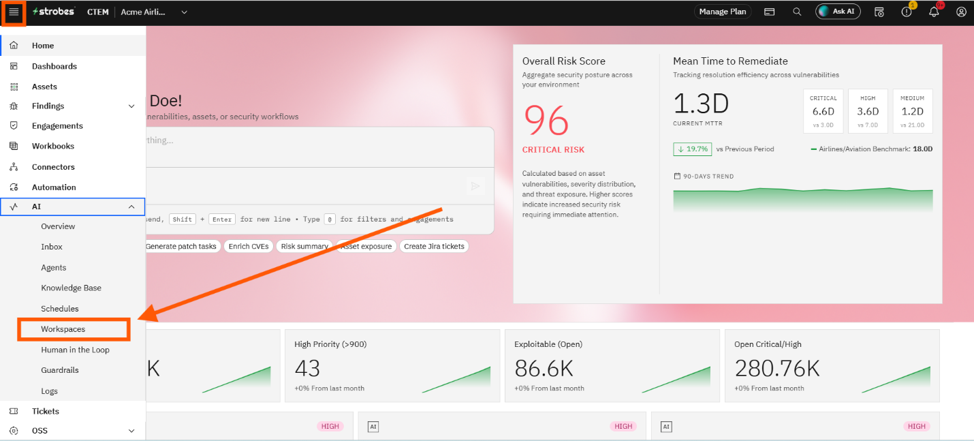
- Open AI → Workspaces and click New Workspace.
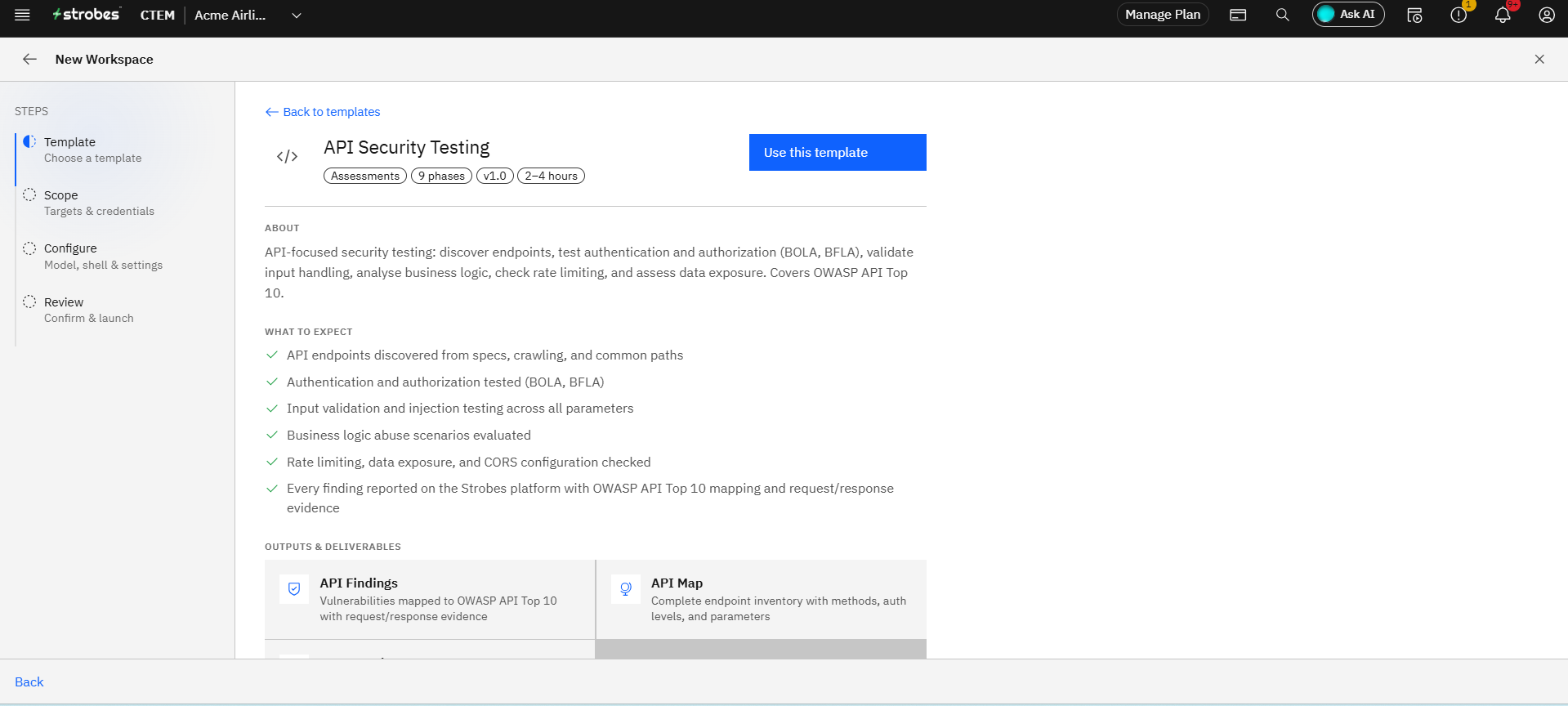
- On the Template step, click the API Security Testing card.
- Click Use This Template.
Step 2: Define the scope
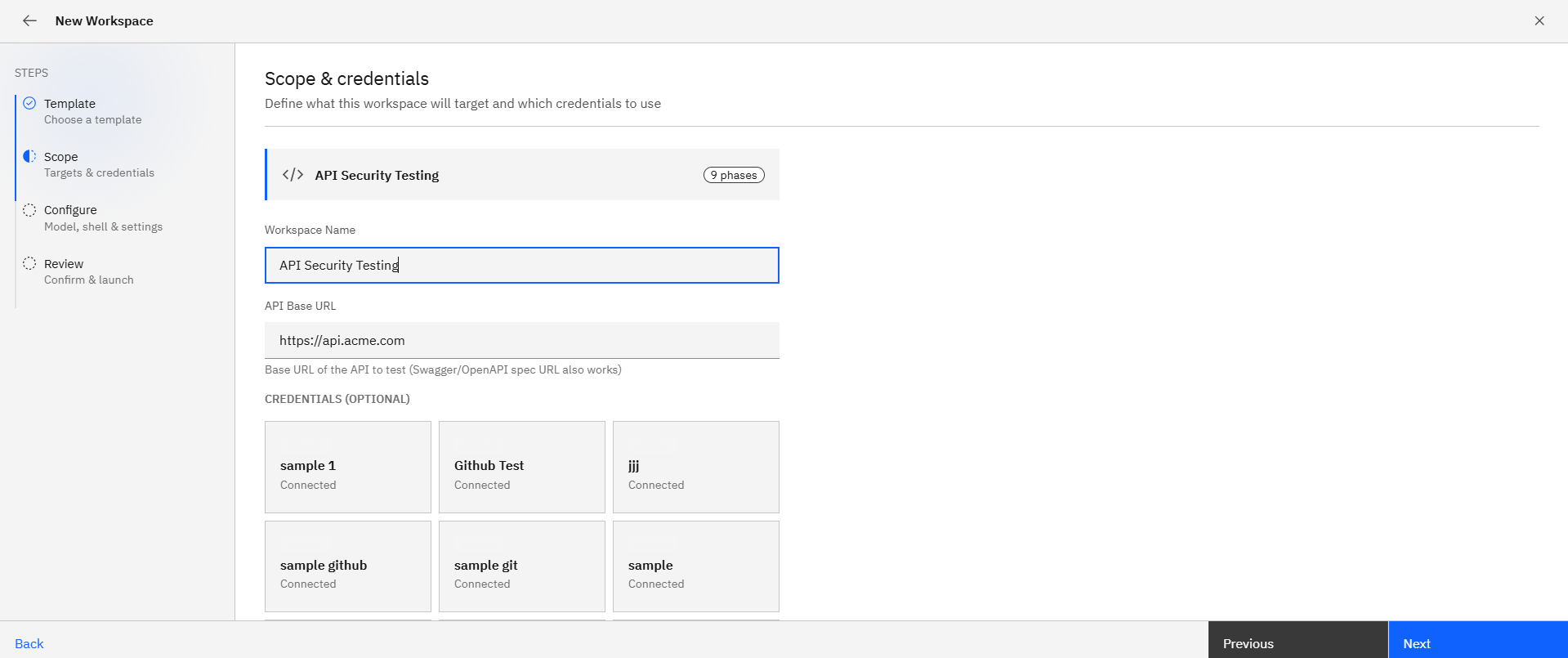
- Workspace Name: e.g.,
Acme API v3 — Pre-release. - Target URL: The API base URL (e.g.,
https://api.acme.com). - Credentials: Pick your API key or OAuth token credential.
Step 3: Upload the API spec
- Under Workspace Files, drag-and-drop the OpenAPI / Swagger spec (
openapi.jsonoropenapi.yaml). - A Postman collection (
.json) also works. - This is technically optional, but coverage is significantly better when a spec is provided.
Step 4: Add Custom Instructions
Use Custom Instructions to scope endpoints and protect against accidental load. Example:
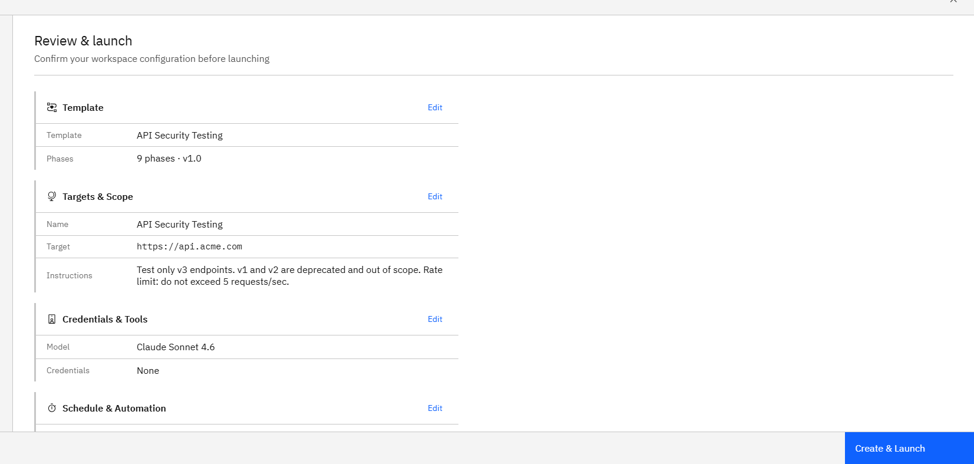
Test only v3 endpoints. v1 and v2 are deprecated and out of scope.
Rate limit: do not exceed 5 requests/sec.
Step 5: Configure runtime
- Model: Standard.
- Schedule: Once after each major API release, plus a Monthly retest for ongoing assurance.
Step 6: Review and launch
- Verify the target, credentials, and uploaded files on the Review step.
- Click Launch Assessment.
Where Can This Be Used?
The API Security Testing template is suited to:
- REST / GraphQL APIs that have a published spec.
- Pre-release validation for new API versions or new endpoints.
- Continuous API assurance when paired with a monthly schedule.
- Third-party integrations where you want to validate that exposed endpoints follow OWASP API Top 10.
Troubleshooting Tips
- If coverage looks shallow, confirm that the OpenAPI spec was attached and that endpoints in the spec are reachable from the Strobes Cloud Browser.
- If you see authentication errors across all endpoints, verify your API key or OAuth token is valid and has the right scopes.
- If the agent's request rate causes issues downstream, pause the workflow and tighten the rate-limit hint in Custom Instructions before resuming.
Last updated: 5/9/26, 12:35 PM