
Network External Pentest
This article shows how to run an external network pentest on Strobes using the Network External Pentest template. The template covers external network penetration testing including scope and asset creation, OSINT and passive recon, port scanning, service enumeration, and vulnerability assessment.
Prerequisites
Before launching a Network External Pentest, ensure the following:
- You have a Target IP / Range that you own or are authorized to test (e.g.,
203.0.113.0/24, or a comma-separated list of public IPs). - If your firewall has an allow-list, you have added Strobes' egress IPs (see Settings → Allow-listing).
- You have noted any production-critical hosts that should be excluded from active exploitation.
- Your organization has sufficient AI credits.
Steps to run a Network External Pentest
Step 1: Open the wizard and pick the template
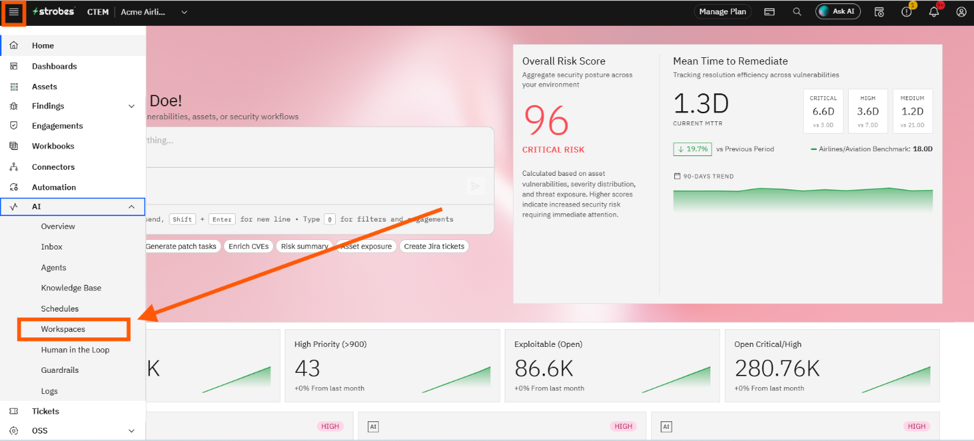
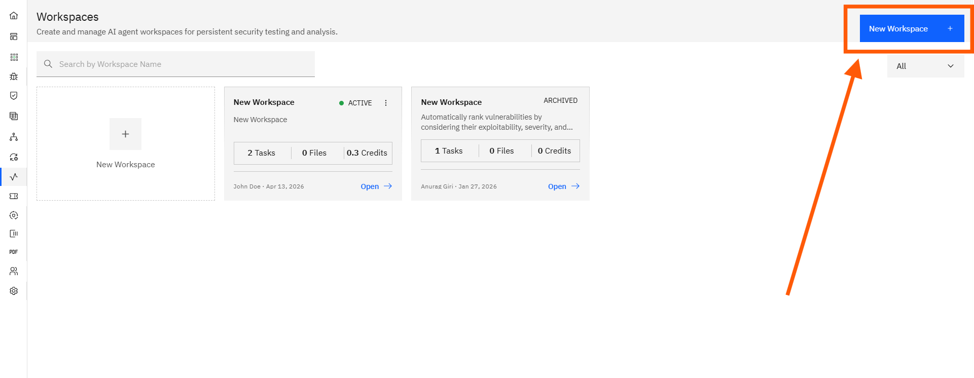
- Open AI → Workspaces and click New Workspace.
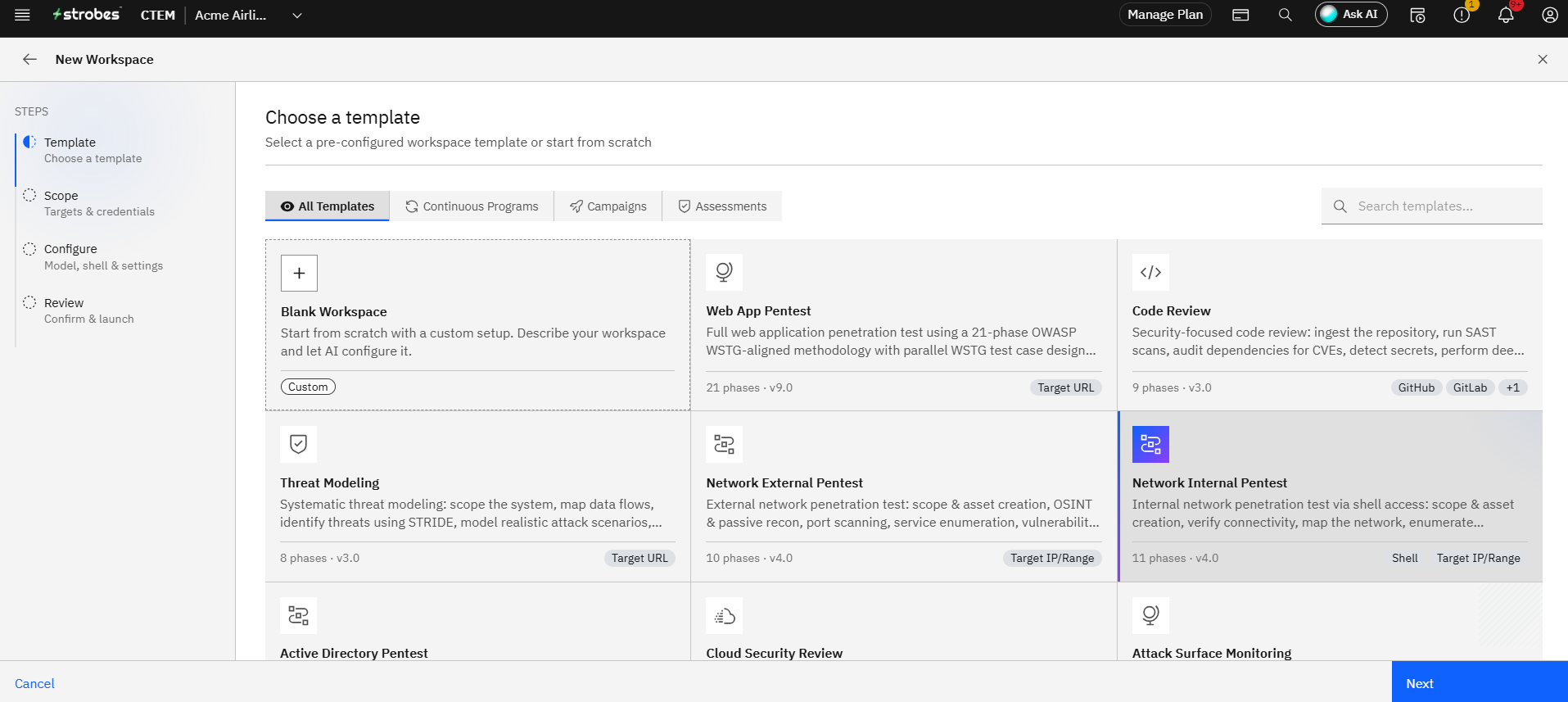
- On the Template step, click the Network External Pentest card.
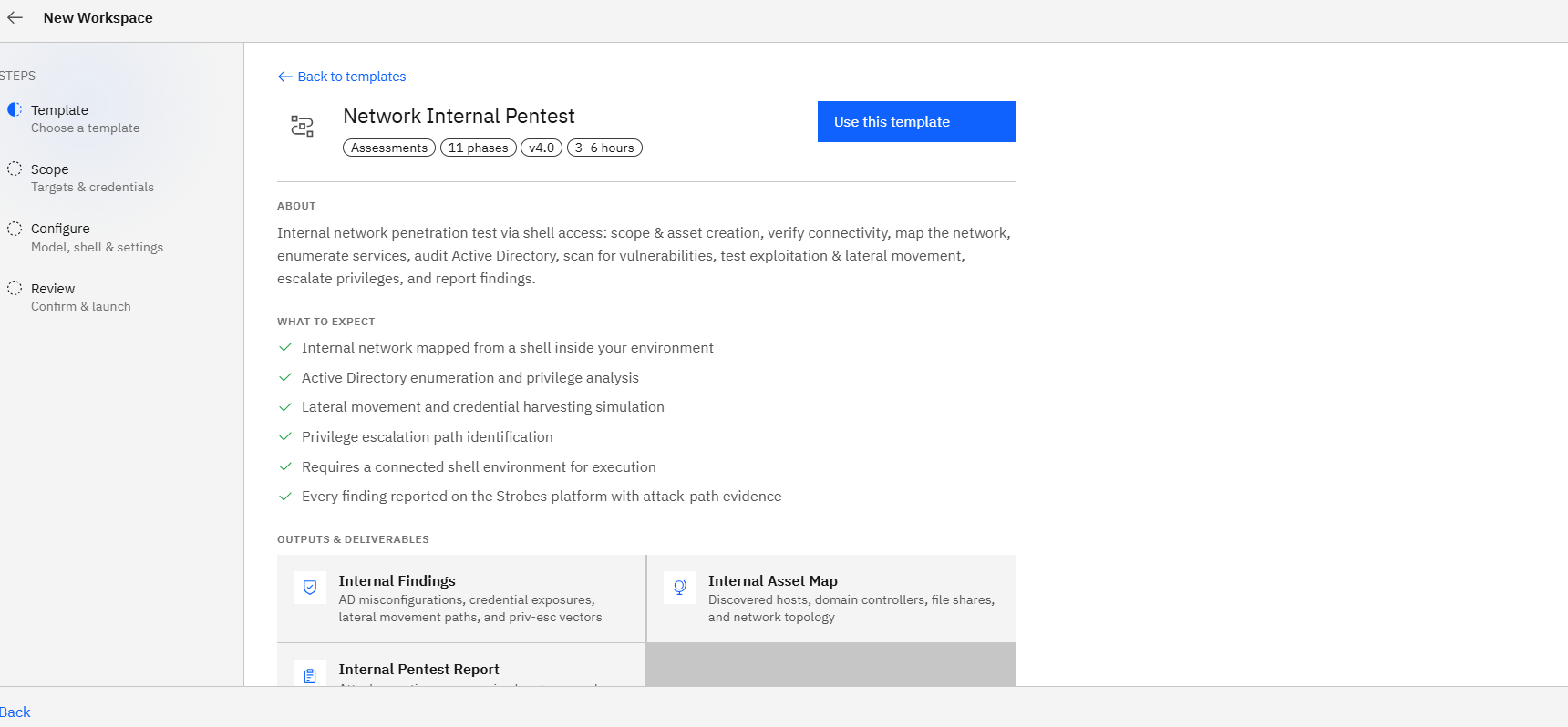
- Click Use This Template.
Step 2: Define the scope
- Workspace Name: Something descriptive like
Acme — Edge Subnet — Weekly. - Target IP / Range: Enter the CIDR range or comma-separated IPs (e.g.,
203.0.113.0/24). - Credentials: Usually none. Add credentials only if your scope includes authenticated services.
Step 3: Add Custom Instructions
Use Custom Instructions to flag aggressive-test approvals and guard hosts you don't want exploited. Example:
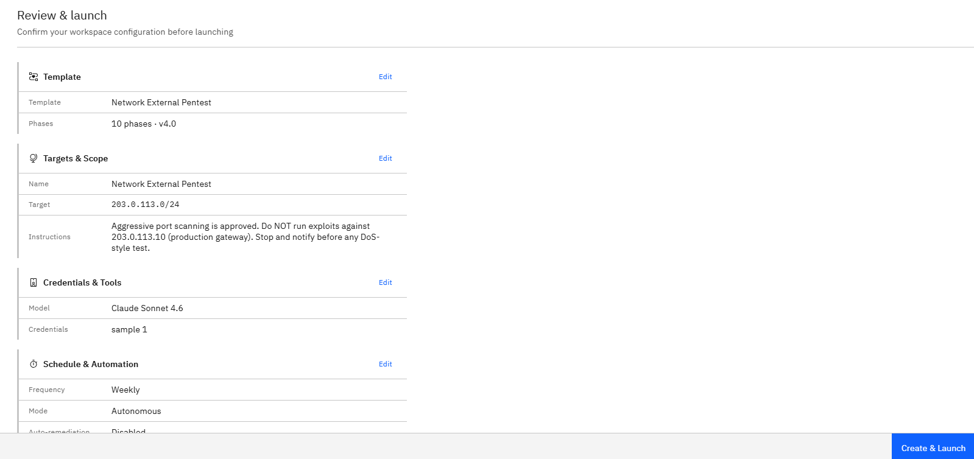
Aggressive port scanning is approved.
Do NOT run exploits against 203.0.113.10 (production gateway).
Stop and notify before any DoS-style test.
Step 4: Configure runtime
- Model: Standard.
- Browser: Not used for pure network pentests; leave default.
- Schedule: Weekly is the recommended cadence for ongoing perimeter assurance — for example, every Monday at 09:00.
Step 5: Review and launch
- Verify the IP range on the Review step.
- Click Launch Assessment.
- The agent begins recon, port scanning, service enumeration, and vulnerability assessment.
Where Can This Be Used?
The Network External Pentest template is suited to:
- Periodic perimeter assurance for internet-facing IP ranges.
- Post-deployment verification after firewall or load balancer changes.
- Compliance scans for organizations that need recurring external assessments.
- Acquisition or vendor due diligence on a target's external surface.
Troubleshooting Tips
- If the agent reports timeouts or no open ports, verify Strobes' egress IPs are on your firewall allow-list.
- If you see findings against the wrong asset, double-check that the Target IP / Range matches the addresses you actually own.
- If an aggressive scan is creating unwanted noise on monitoring tools, pause the workflow from the dashboard and adjust Custom Instructions before resuming.
Last updated: 5/8/26, 2:06 PM