
Workspace: What is a Workspace?
A Workspace is the container for a single AI pentest engagement on Strobes. It bundles together everything the AI agent needs to run an assessment — target, credentials, environment, and the findings it produces — and is the primary place where you interact with the agent.
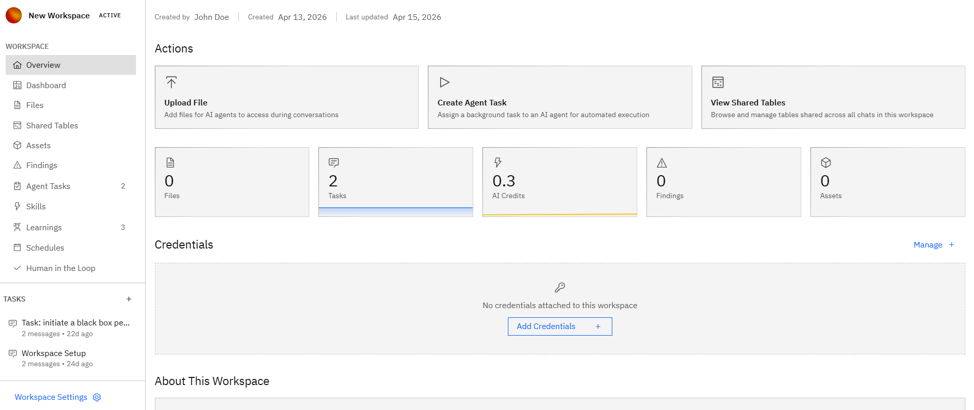
A Workspace bundles together the following:
- The target
- Credentials
- The AI model
- The execution environment
- Findings, tasks, files, and reports
- A chat thread
Now, let's take a look at each of these.
The target
Every Workspace has one target. This is what the agent will test, and the format depends on the template you pick — a URL for web app testing, an IP range for network pentests, a repository for code review, a cloud account ID for cloud audits, or a free-form scope description for a Blank Workspace.
Credentials
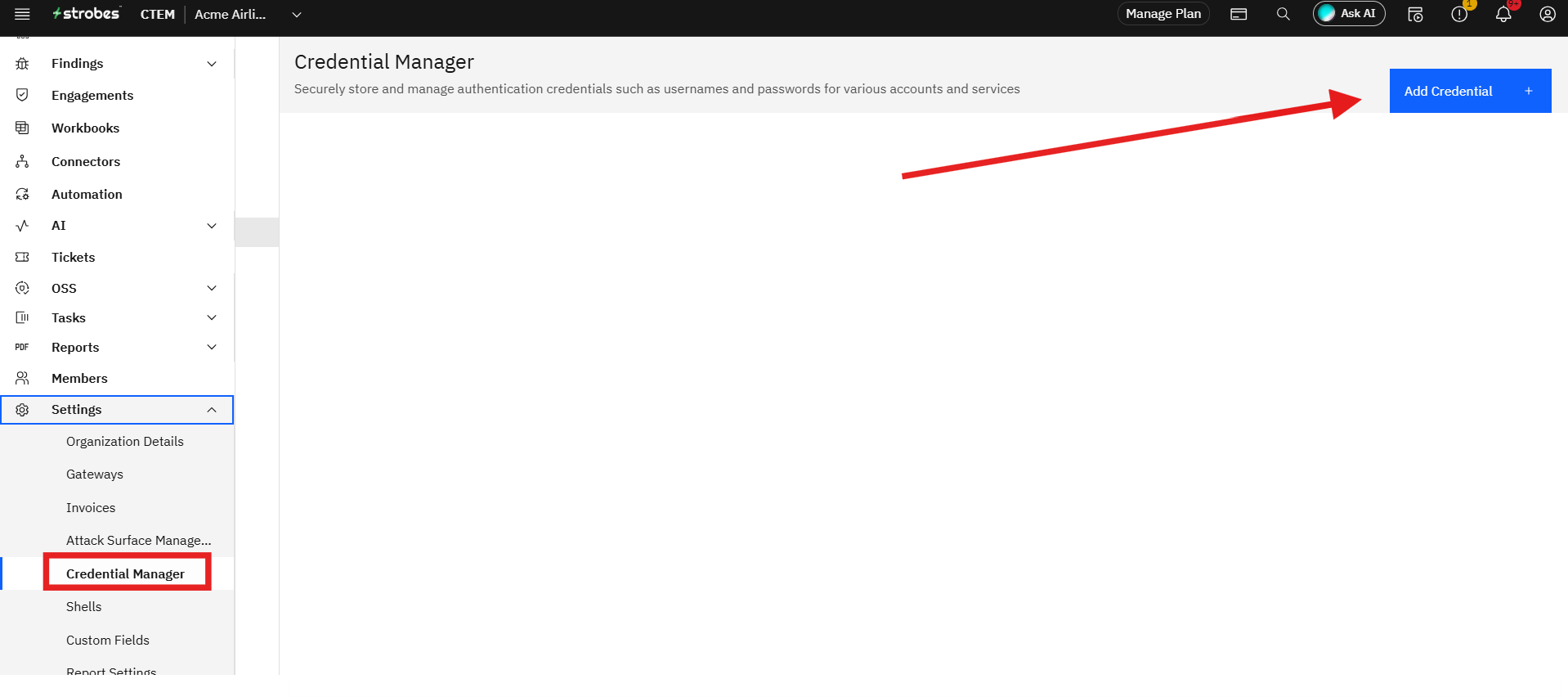
Credentials are the test accounts, API keys, SSH keys, or cloud roles the agent is allowed to use during the engagement. They're managed centrally under Settings → Credentials and can be attached to any Workspace from the Scope step. Use scoped, read-only credentials wherever possible.
The AI model
The AI Model dropdown selects the LLM that drives the pentest. Three tiers are typically available:
- Standard — the default; recommended for most pentests.
- Advanced — best reasoning for complex apps and long-running engagements (higher credit consumption).
- Lite — fastest and cheapest; good for demo runs and the Hello World template.
The execution environment
The agent needs somewhere to run. Three primitives make up the execution environment:
- Cloud Browser (default) — a headless browser inside the Strobes sandbox.
- Connected Browser — a local browser passthrough for targets reachable only from your network.
- Shell — a registered execution endpoint inside your environment, required for Network Internal Pentest and similar internal-network templates.
Findings, tasks, files, and reports
Everything the AI produces during the run is stored in the Workspace — vulnerabilities ranked Critical through Info, sub-tasks the agent has spawned, files it produces (logs, evidence, payloads), and the final executive and technical reports.
A chat thread
Every Workspace has a chat thread where you can interact with the AI in natural language. Use it to ask questions, redirect the agent, paste extra context, or promote a Blank Workspace into a structured assessment.
Template vs Blank Workspaces
Every Workspace is started either from a template (a pre-configured assessment with a defined methodology) or as a Blank Workspace (you describe what you want in plain English). Templates are recommended for standard, repeatable assessments. Blank Workspaces are best for custom or exploratory work.