
Web Application Pentest
This article shows how to run a Web Application Pentest on Strobes using the Web App Pentest template. The template uses a 21-phase OWASP WSTG-aligned methodology with parallel test case design, browser-based exploitation, and AI validation of every finding before submission.
Prerequisites
Before launching a Web App Pentest, ensure the following:
- You have a Target URL for the web application (e.g.,
https://staging.acme.com). - You have one or more test accounts for authenticated testing (recommended), saved as Strobes credentials under Settings → Credentials.
- You've identified any out-of-scope paths or hosts so you can list them in Custom Instructions.
- Your organization has sufficient AI credits.
Steps to run a Web App Pentest
Step 1: Open the wizard and pick the template
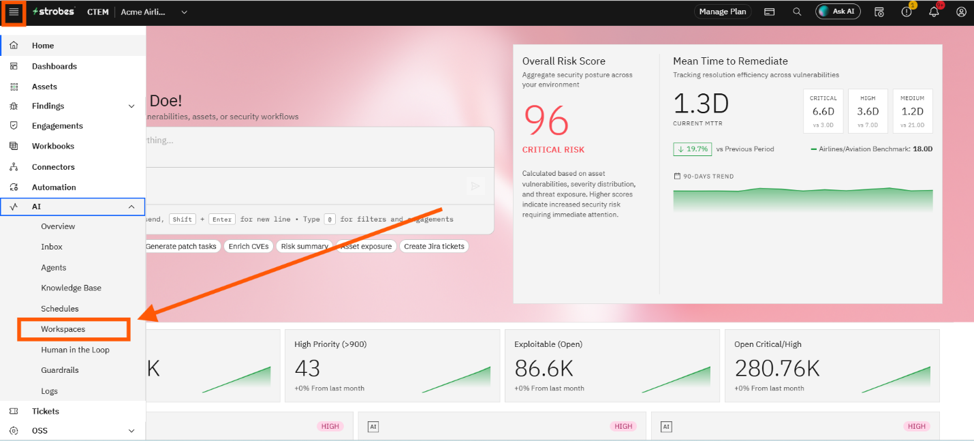
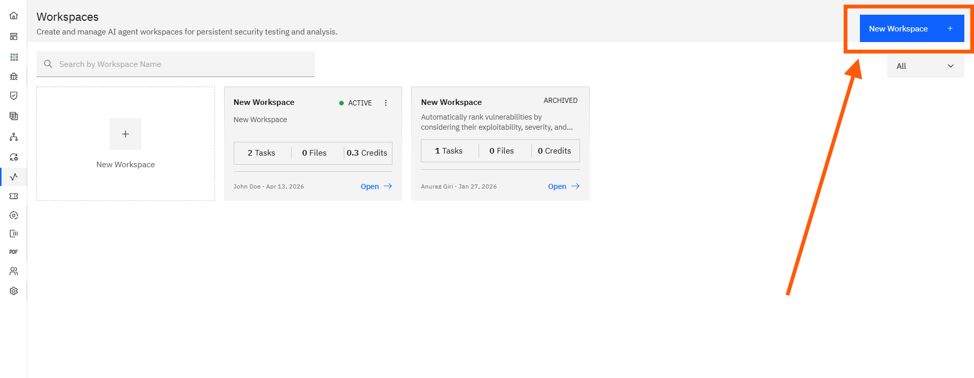
- Open AI → Workspaces and click New Workspace.
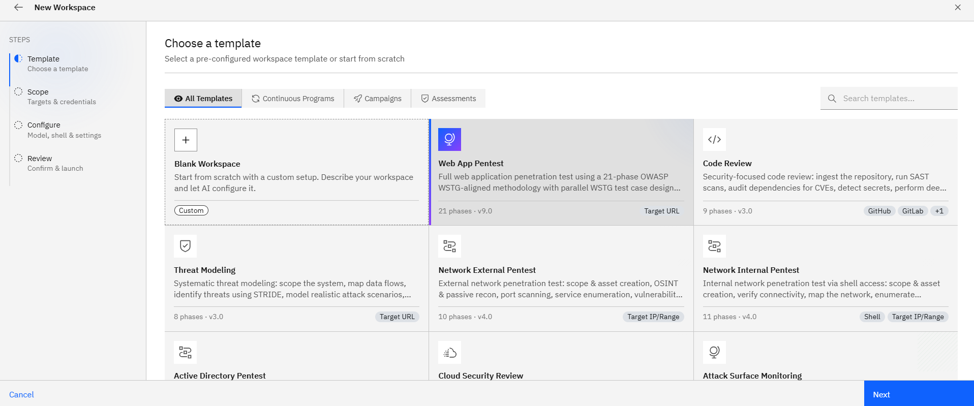
- On the Template step, click the Web App Pentest card.
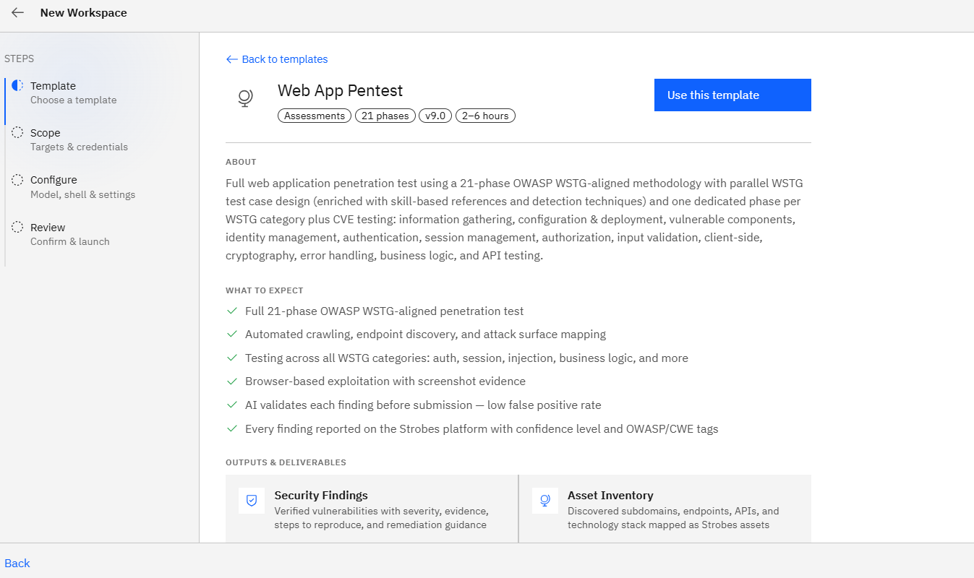
- Click Use This Template on the info page.
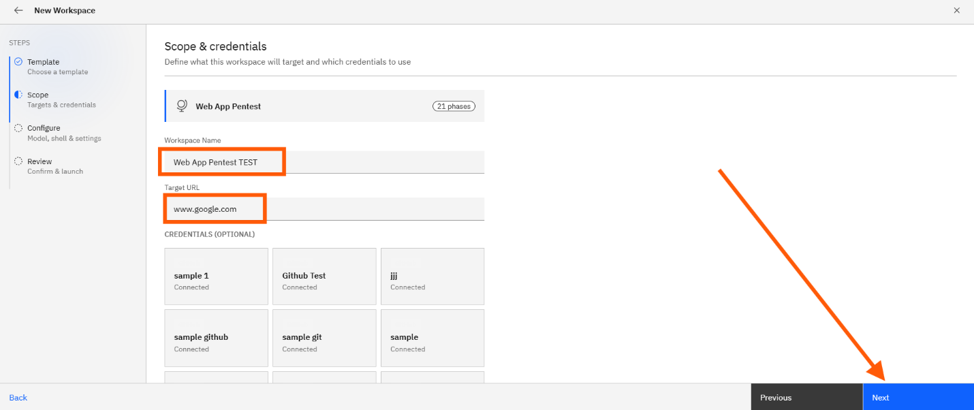
Step 2: Define the scope
- Workspace Name: Rename to something meaningful like
acme.com — Q2 Web Pentest. - Target URL: Enter the application URL (e.g.,
https://staging.acme.com). - Credentials: Select your test accounts (e.g.,
qa-admin@acme.com,qa-user@acme.com).
Step 3: Add Custom Instructions
Custom Instructions are free-form scope notes the agent will follow. Use them to list out-of-scope paths, login flow hints, and areas of focus. Example:
Use the test accounts for authenticated testing.
Out of scope: /admin/billing/*, anything under integrations.acme.com.
Focus on the new /api/v3/checkout endpoint.
Do not register new user accounts.
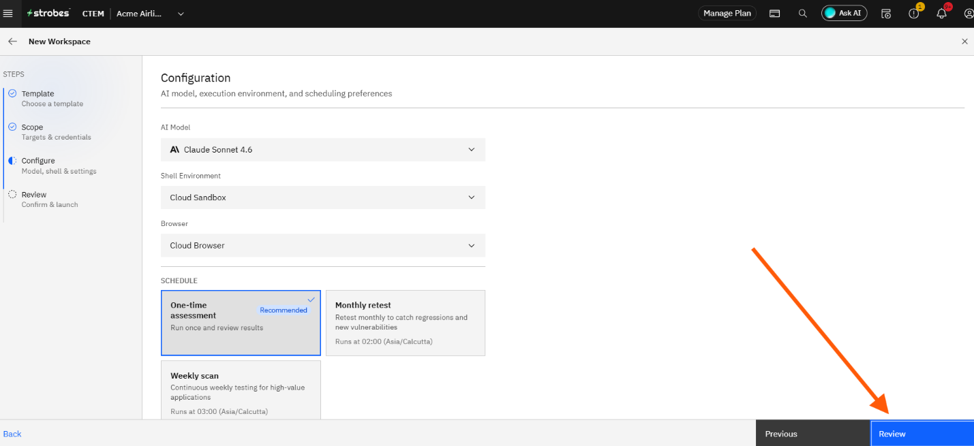
Step 4: Configure runtime
- Model: Standard is the recommended default. Pick Advanced for very complex apps with deep workflows.
- Browser: Cloud Browser (default).
- Schedule: One-time for a single assessment, Monthly for production retests, or Weekly for a high-value staging app.
Step 5: Review and launch
- Verify the target, credentials, and schedule on the Review step.
- Click Launch Assessment.
- The agent begins automated crawling, endpoint discovery, and test-case execution across all 21 WSTG phases.
Where Can This Be Used?
The Web App Pentest template is suited to:
- Production web apps that need a periodic OWASP-aligned assessment.
- Staging environments where weekly continuous testing is appropriate.
- Pre-release validation before pushing major features (e.g., a new checkout flow).
- Compliance assessments that must map findings to OWASP Top 10, ASVS, or CWE.
Expected output
When the run completes you'll get:
- Findings ranked Critical through Info, mapped to OWASP Top 10 and ASVS.
- Per-finding evidence — request/response pairs, screenshots, exploitation steps.
- A downloadable Executive Summary and Technical Report in PDF or DOCX.
Troubleshooting Tips
- If the agent stalls on the login page, expand Custom Instructions to describe the login flow (e.g., "Use the SSO button, not the local login form").
- If the agent flags too many findings on out-of-scope paths, list those paths explicitly in Custom Instructions.
- If your firewall blocks the Strobes Cloud Browser, switch to a Connected Browser under AI → Connected Browsers.
Last updated: 5/8/26, 1:59 PM