
Configuring Strobes AI for Automated Vulnerability Management
Strobes offers powerful automation capabilities leveraging Large Language Models (LLMs) to streamline vulnerability management. This guide will walk you through the process of setting up and configuring Strobes AI to automate your vulnerability triage and analysis workflows.
Getting Started:
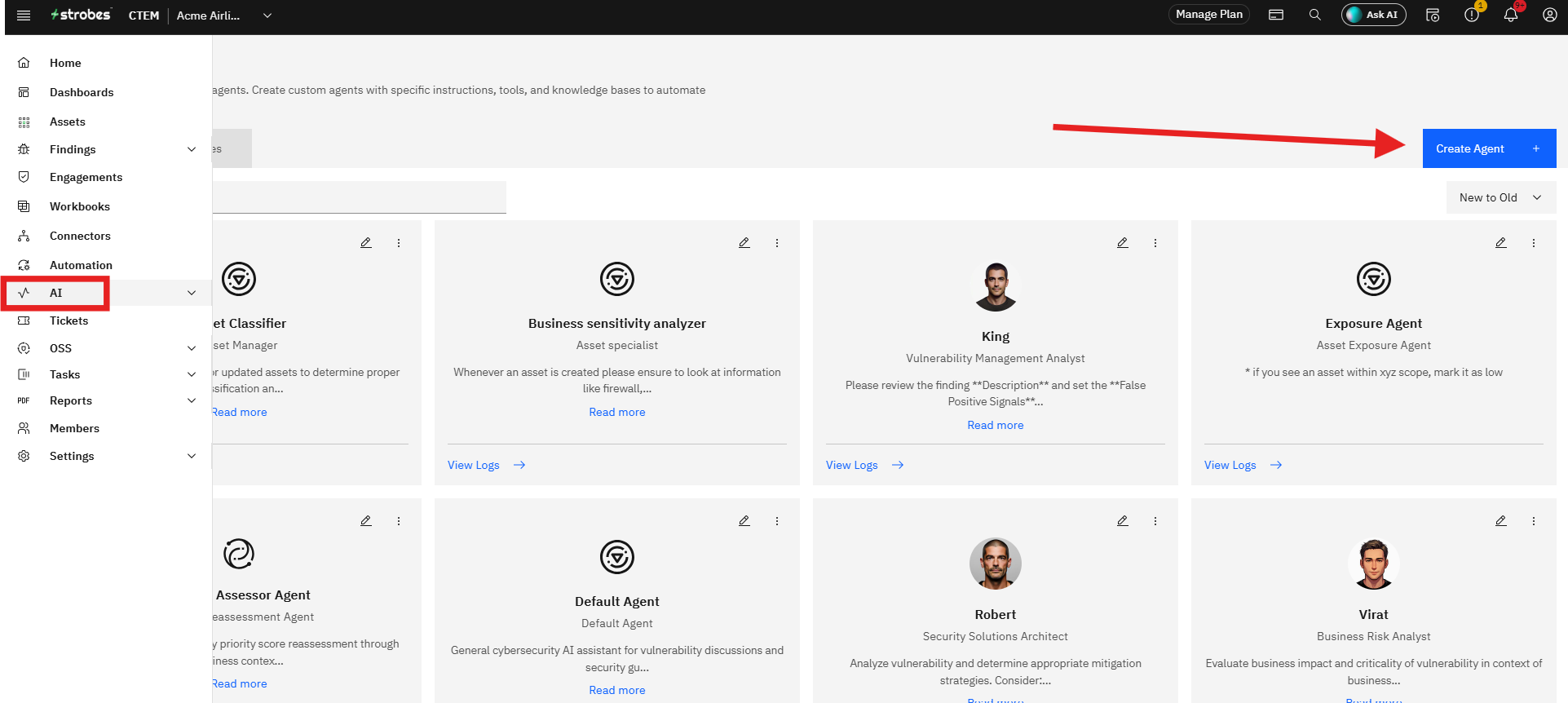
1. Navigate to the "AI" page on Strobes platform.
2. Create Agent.
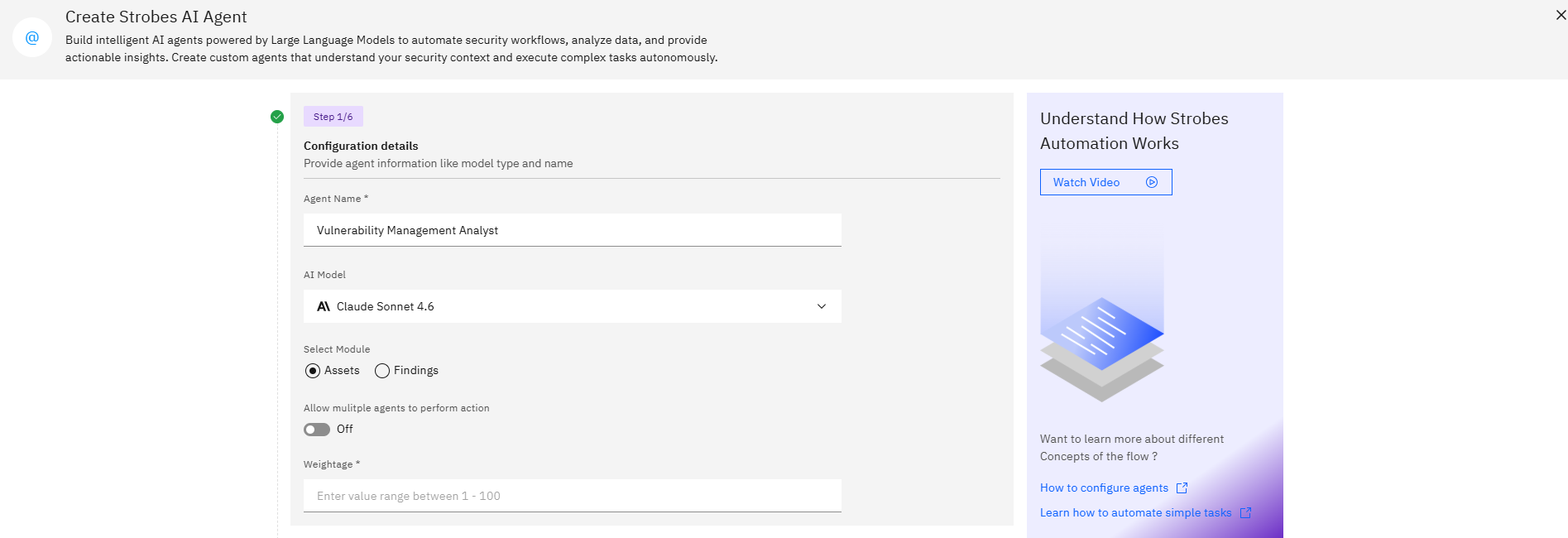
Step 1: Configuration Details
- Provide a name for your AI agent.
- Select the appropriate OpenAI credential from the dropdown.
- Choose the AI model type you wish to use.
- Select whether to apply this automation to Assets or Findings.
- Toggle "Allow multiple agents to perform action" if needed.
- Set a weightage value (1-100) to prioritize this automation.
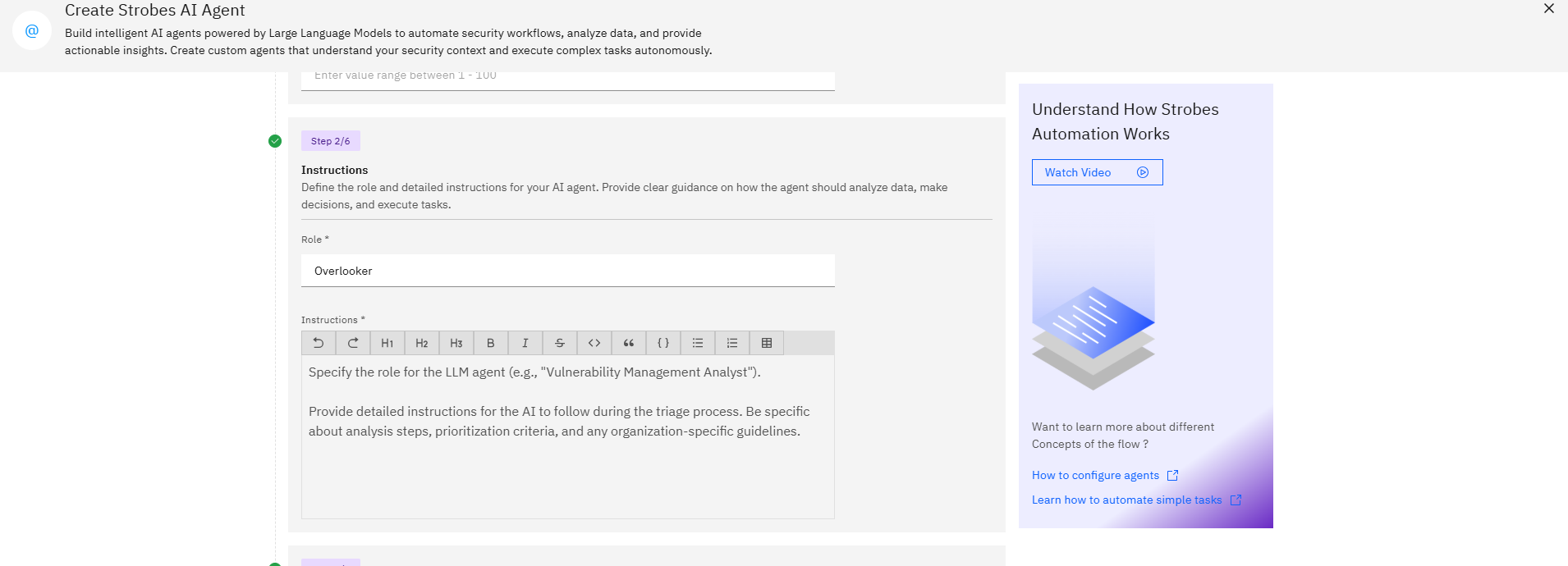
Step 2: Instructions
- Specify the role for the LLM agent (e.g., "Vulnerability Management Analyst").
- Provide detailed instructions for the AI to follow during the triage process. Be specific about analysis steps, prioritization criteria, and any organization-specific guidelines.
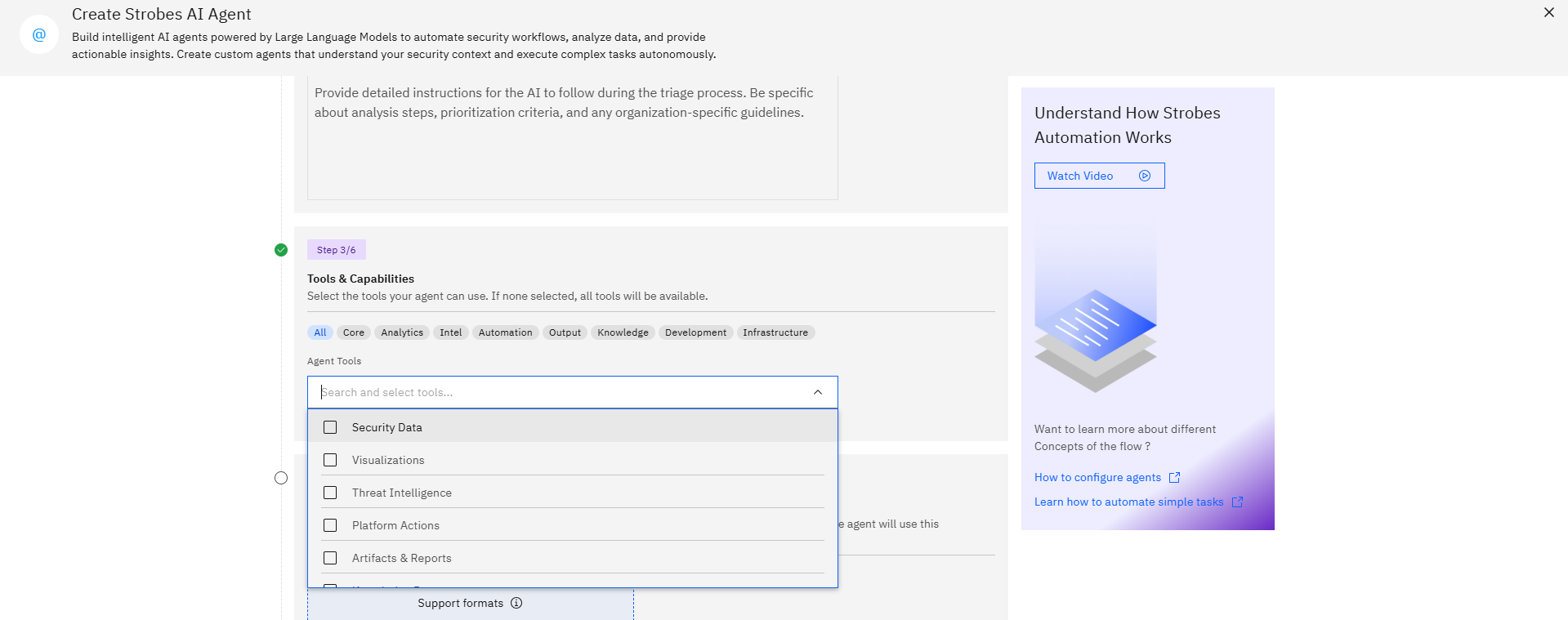
Step 3: Tools & Capabilities
Select the tools your agent can use. If none selected, all tools will be available.
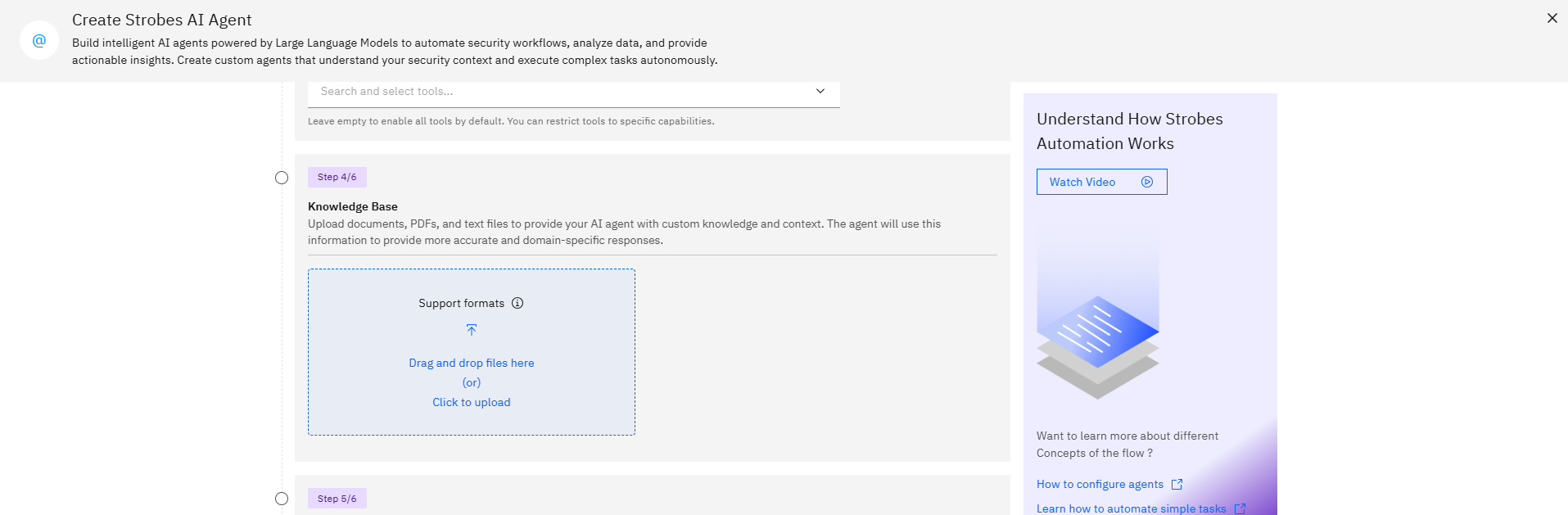
Step 4: Knowledge Base
Upload documents, PDFs, and text files to provide your AI agent with custom knowledge and context. The agent will use this information to provide more accurate and domain-specific responses.
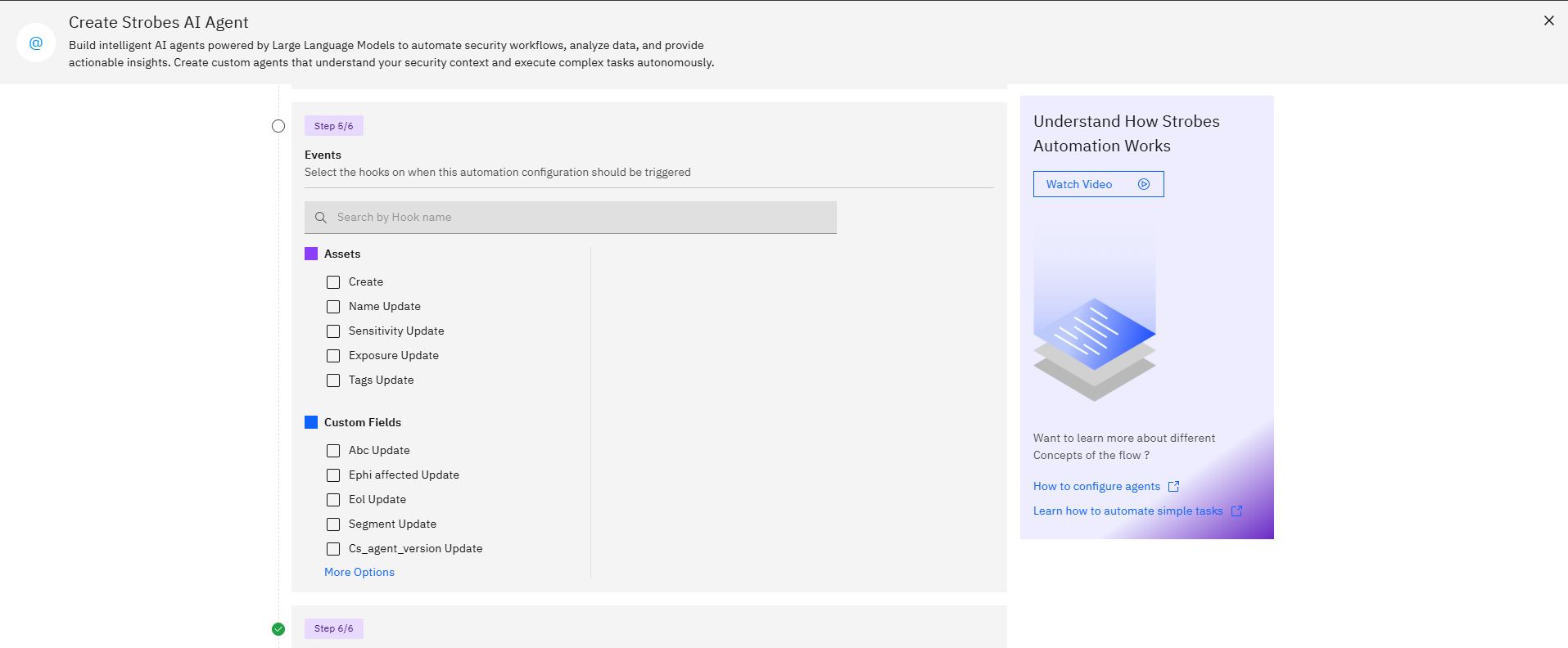
Step 5: Events
Select the hooks on when this automation configuration should be triggered
- Select the events that should trigger this automation:
- Create: Run on newly discovered vulnerabilities
- Update: Run when vulnerability details are modified
- Exposure Update: Trigger on changes to exposure status
- Business Sensitivity Update: Run when business impact changes
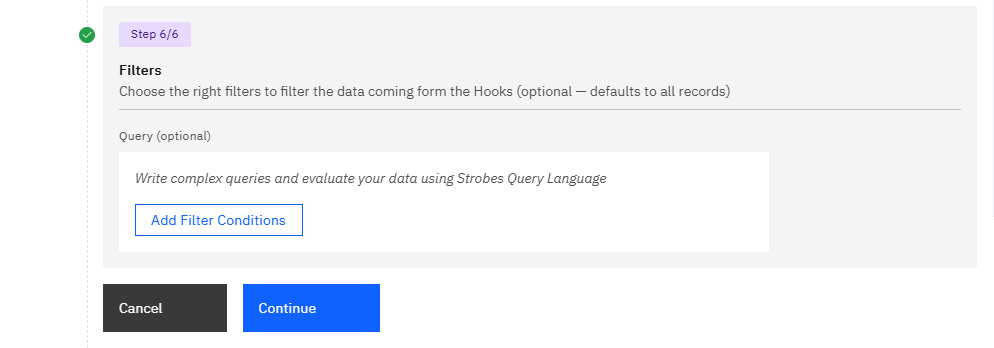
Step 6: Filters
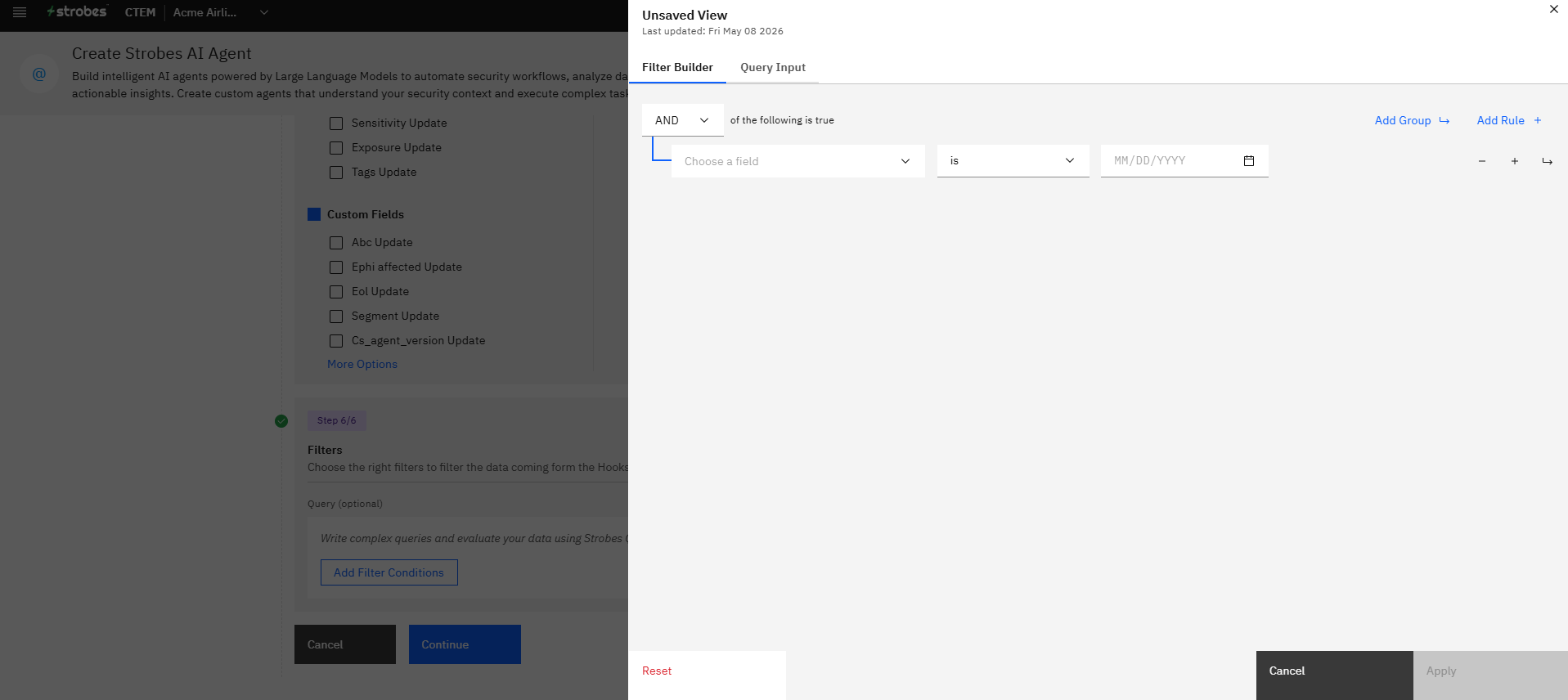
- Use the Strobes Query Language to create filters that determine which vulnerabilities the AI should process.
- Click "Add Filter Conditions" to set up complex queries based on various attributes like severity, asset type, or specific CVEs.
Best Practices:
1. Start with a focused scope: Begin by automating a specific subset of vulnerabilities or assets to fine-tune your configuration.
2. Refine instructions iteratively: Regularly review the AI's output and adjust your instructions to improve accuracy and relevance.
3. Use clear, concise language: Provide unambiguous instructions to ensure consistent results from the LLM.
4. Leverage filters effectively: Create targeted filters to ensure the AI focuses on the most critical vulnerabilities for your organization.
5. Monitor and adjust: Regularly review the automation's performance and make adjustments as needed.
By following these steps, you can harness the power of AI to significantly enhance your vulnerability management process in Strobes. The system will automatically analyze new vulnerabilities, prioritize them based on your criteria, and provide actionable insights to your security team.
Remember that while AI can greatly improve efficiency, human oversight remains crucial. Regularly review the AI's output and decisions to ensure alignment with your organization's security goals and risk tolerance.
Check out the video here