
Agents
The Agents page in Strobes is where you create, configure, and manage the AI agents that automate your security workflows. Each agent has its own persona, instructions, tools, and knowledge base, and can be specialized for a specific job — triaging vulnerabilities, classifying assets, monitoring SLAs, and more.
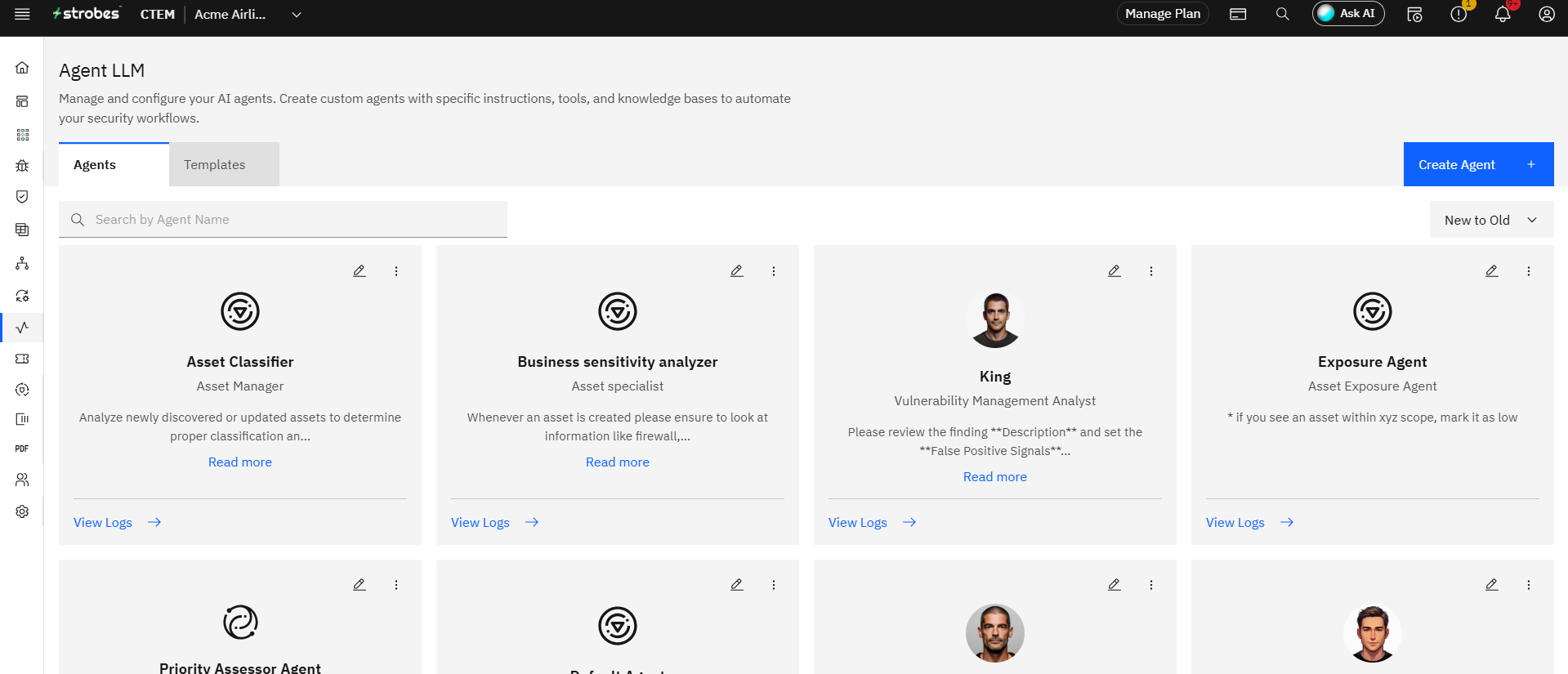
To open the page, expand AI in the left sidebar and click Agents. You'll see two tabs:
- Agents
- Templates
Now, let's take a look at each.
The Agents tab
The Agents tab lists every custom AI agent in your organization. Each agent card shows:
- A profile picture and name (e.g., Sam, Tina).
- A role (e.g., Vulnerability Management Analyst, Compliance Risk Analyst).
- A short description of what the agent does.
- A Read more link to expand the full instructions.
- A View Logs link to see the agent's activity history.
Use the Create Agent button at the top right to define a new agent from scratch. You'll be asked for:
- A name and avatar.
- A role / persona description.
- System instructions (the agent's "job description" in natural language).
- Tools the agent is allowed to use.
- A knowledge base to draw context from.
The Templates tab
The Templates tab is a catalog of prebuilt agents you can deploy with a single click. Each template comes with battle-tested instructions and tool configurations — you don't have to write a system prompt from scratch. Templates available out of the box include:
- Vulnerability Triager — automatically analyzes and triages new vulnerabilities based on severity and exploitability.
- Asset Classifier — classifies assets based on their properties and adds relevant tags.
- CVE Intelligence Analyst — analyzes CVE information and updates vulnerability context with threat intelligence.
- SLA Compliance Monitor — monitors vulnerabilities approaching SLA deadlines and alerts stakeholders.
- Cloud Asset Security Advisor — provides security recommendations for cloud assets based on best practices.
- Web Vulnerability Context Provider — adds context to web vulnerabilities with specific remediation steps.
- Infrastructure Vulnerability Advisor — provides detailed remediation guidance for infrastructure vulnerabilities.
- Zero-Day Vulnerability Prioritizer — automatically prioritizes zero-day vulnerabilities for urgent remediation.
- Container Security Advisor — analyzes container vulnerabilities and provides remediation guidance.
- Business Risk Impact Analyzer — assesses business impact of vulnerabilities and assets.
- Compliance Audit Assistant — tags and categorizes findings based on compliance frameworks.
- Package Vulnerability Analyzer — analyzes package vulnerabilities and provides upgrade paths.
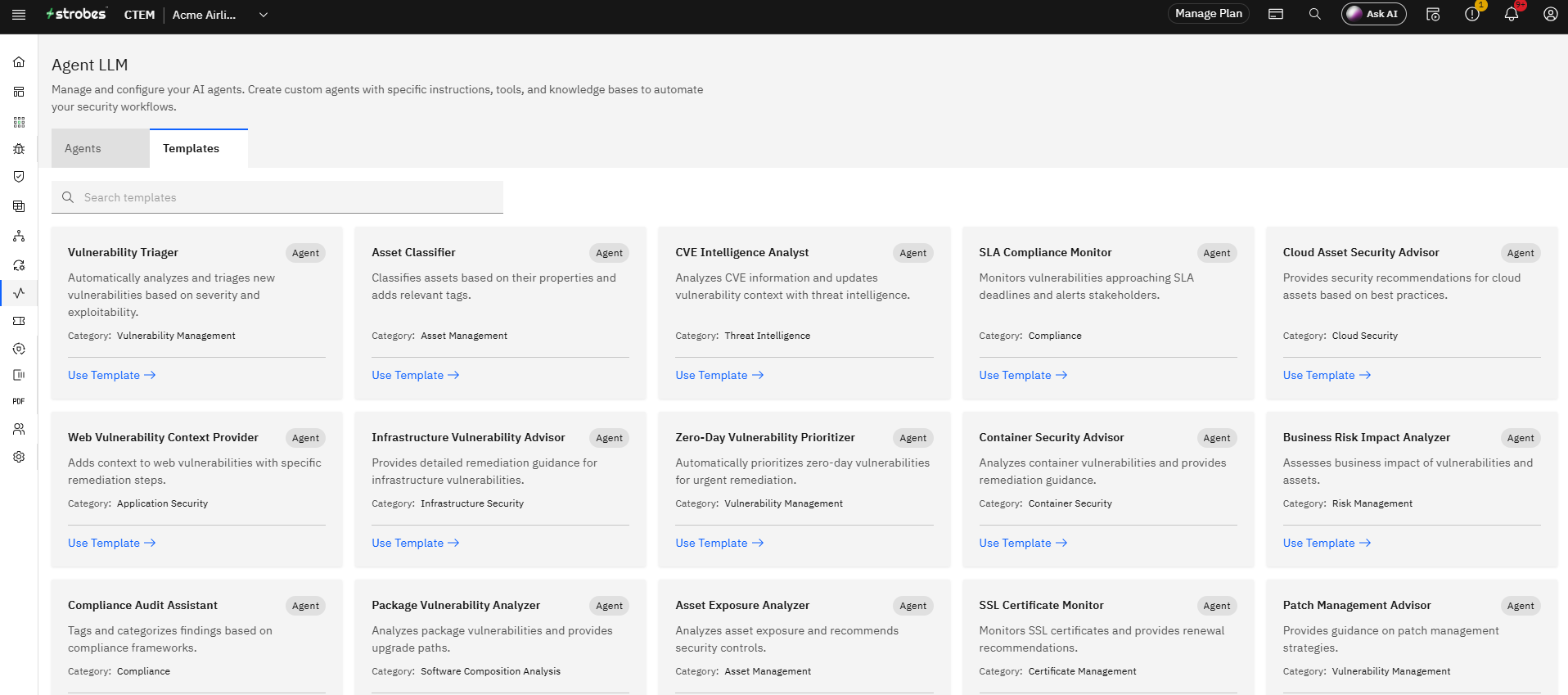
To deploy a template, click Use Template on the card. It becomes a regular agent on the Agents tab where you can rename it, edit its instructions, or restrict its tools.
Searching and sorting
Both tabs include a search bar (Search by Agent Name / Search templates) and a sort dropdown (New to Old / Old to New). Use them to find a specific agent or template fast.