AI Inbox
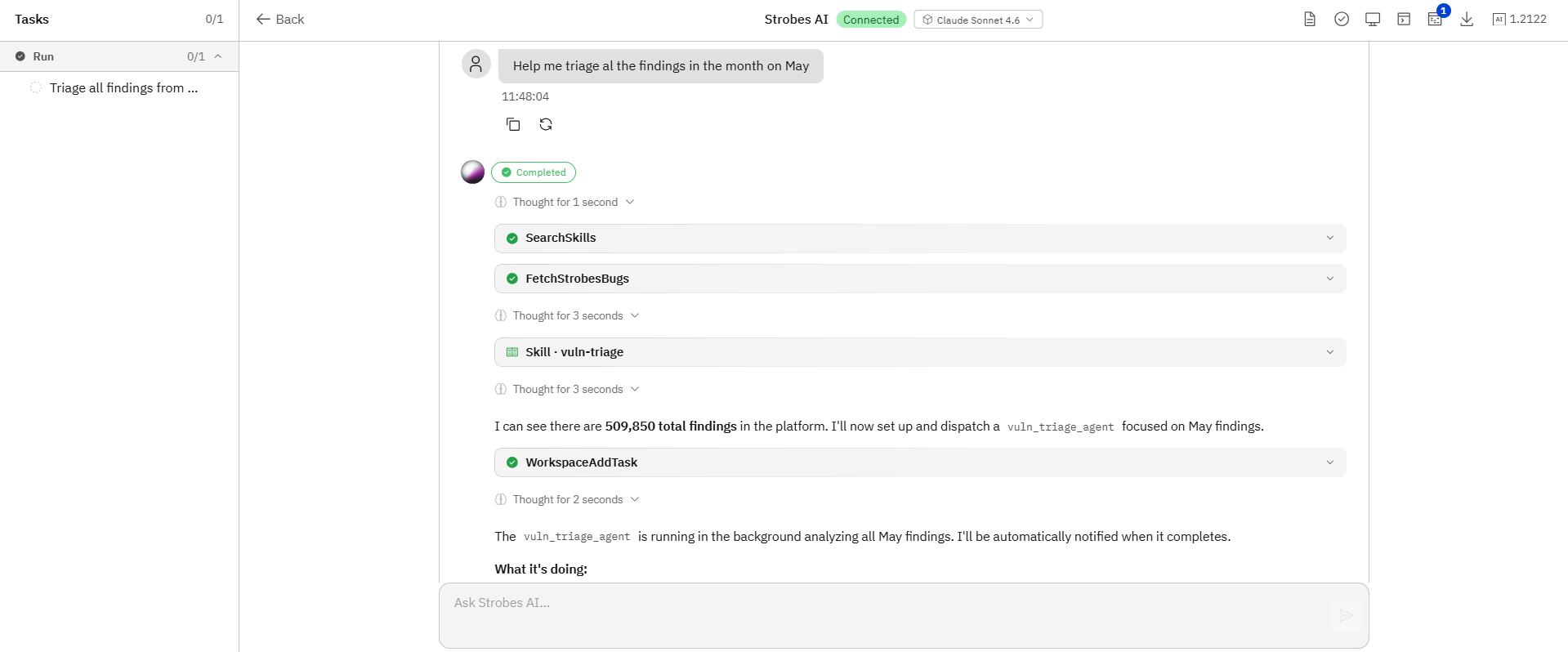
The AI Inbox is the single place to view and manage every AI agent conversation in your organization. Each row is a session, a Workspace setup, a vulnerability validation run, a phase task, or any other agent activity. This article walks through what's on the page and how to use it.
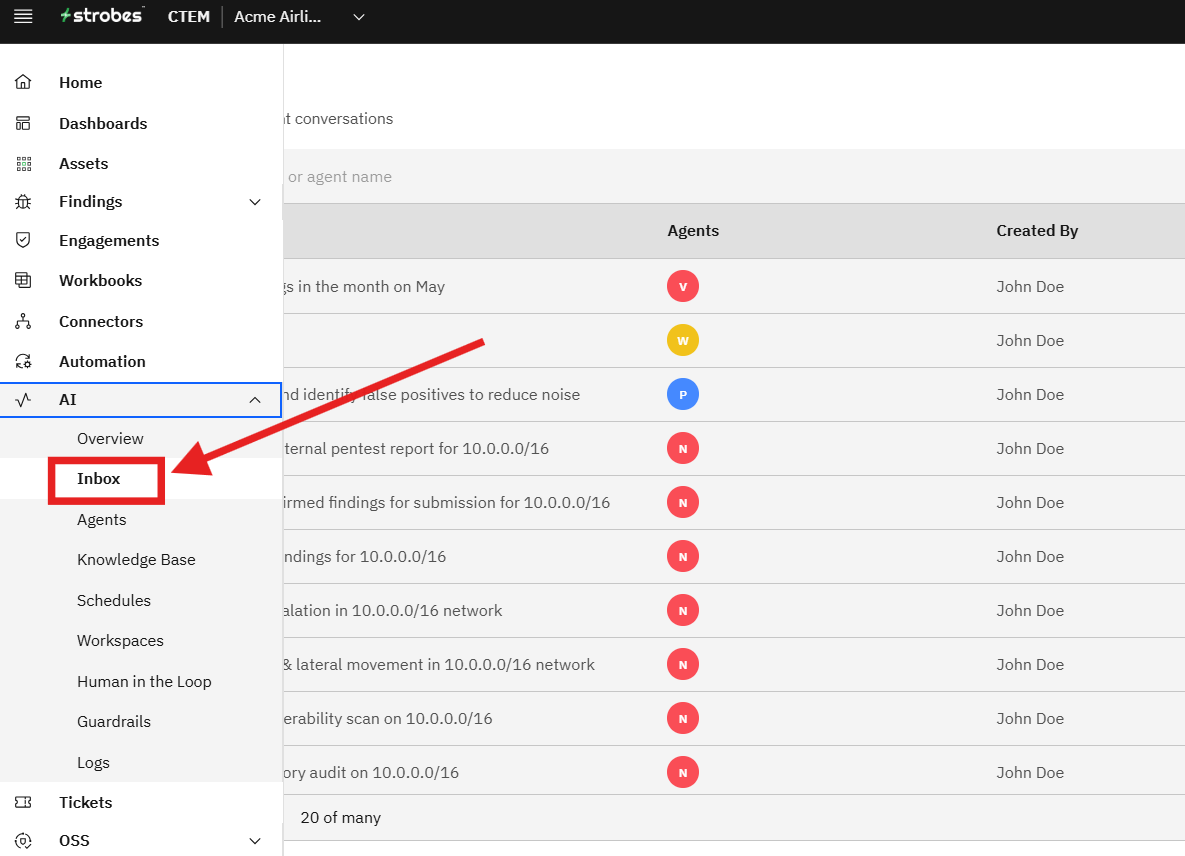
To open the page, expand AI in the left sidebar and click Inbox. The Inbox shows the following:
- A session list
- Search and filters
- Session columns
- Session actions
Now, let's take a look at each.
The session list
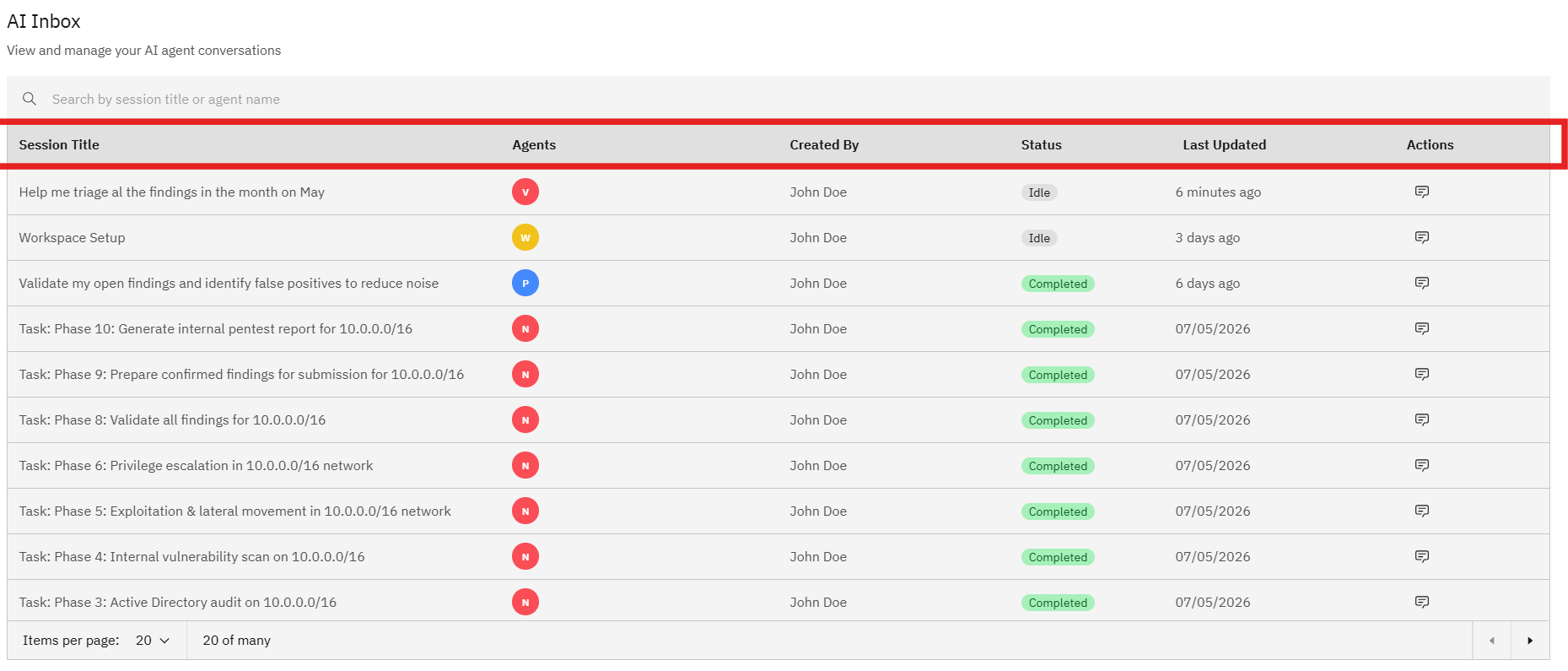
The main table lists every AI agent conversations, newest first. A session can be:
- A Workspace Setup session created when you launch a new Workspace.
- A Task: Phase N session spawned as a sub-task inside a pentest workflow.
- A Validate findings session triggered manually or by an Automation rule.
- Any custom agent run you've started.
Search and filters
A search bar at the top of the page lets you filter sessions by session title or agent name. Use it to find a specific conversation among hundreds or thousands of rows.
Session columns
Each session row shows the following columns:
- Session Title — a human-readable description of the conversation.
- Agents — the agent personas involved (shown as colored circles with the agent's initial).
- Created By — the user who started the session.
- Status — Idle, Active, Completed, Failed, or Cancelled.
- Last Updated — relative time of the last message in the conversation.
- Actions — an icon to open the full conversation.
Session actions
Click the chat icon on a row to open the full conversation in a side panel or full-screen view. From there you can:
- Read the entire chat thread between the user and the agent.
- See every tool call the agent made and the response it got back.
- Resume the conversation if it's in Idle state by sending a new message.
- Cancel an Active session if it's gone off-track.
Note: Inbox sessions are not the same as Workspaces. A Workspace is a long-running container for a pentest; an Inbox session is a single agent conversation, which may belong to a Workspace or be standalone.