Guardrails
Guardrails in Strobes are the safety rails that keep AI agents from leaking secrets, exposing private data, or being manipulated by prompt injection. Some guardrails are always on and managed by Strobes; others are configurable and let you set policy for your organization. This article explains the Guardrails Configuration page.
To open the page, expand AI in the left sidebar and click Guardrails.
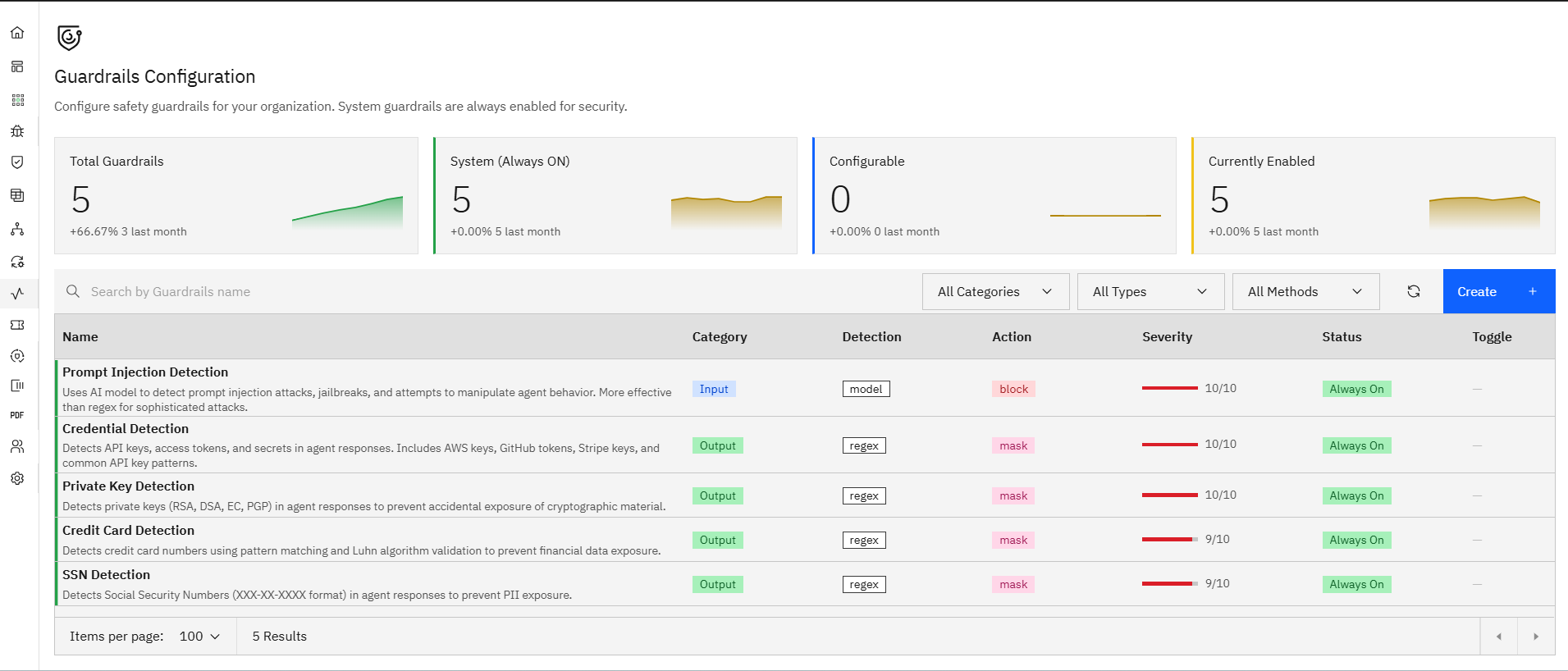
The page has the following:
- Summary tiles
- Filters and search
- The guardrails list
- Per-row toggles
Now, let's take a look at each.
Summary tiles
Four tiles at the top of the page show the state of your guardrail coverage:
- Total Guardrails — every guardrail visible to your organization (System + Configurable).
- System (Always ON) — guardrails Strobes enforces by default and that can't be disabled.
- Configurable — guardrails you can turn on or off yourself.
- Currently Enabled — how many guardrails are active right now, with a trend arrow showing month-over-month change.
Filters and search
The toolbar above the list lets you narrow guardrails by:
- All Categories — Input vs Output guardrails.
- All Types — type of detection (model-based, regex, heuristic).
- All Methods — block, mask, log-only, etc.
- A Search by Guardrails name field for quick lookup.
The guardrails list
Each guardrail row shows:
- Name — what the guardrail does (e.g., Prompt Injection Detection).
- Description — a one-line summary of the check.
- Category — Input or Output.
- Detection — the underlying technique (e.g., model, regex).
- Action — what happens on a match (block, mask, etc.).
- Severity — a numeric rating (e.g., 10/10).
- Status — Always On or Enabled / Disabled.
- Toggle — for configurable guardrails, an on/off switch.
The system guardrails shipped with Strobes today include:
- Prompt Injection Detection — uses an AI model to detect prompt injection attacks, jailbreaks, and attempts to manipulate agent behavior. More effective than regex for sophisticated attacks. Always On, severity 10/10, action block.
- Credential Detection — detects API keys, access tokens, and secrets in agent responses. Includes AWS keys, GitHub tokens, Stripe keys, and common API key patterns. Always On, severity 10/10, action mask.
- Private Key Detection — detects private keys (RSA, DSA, EC, PGP) in agent responses to prevent accidental exposure of cryptographic material. Always On, severity 10/10, action mask.
- Credit Card Detection — detects credit card numbers using pattern matching and Luhn algorithm validation to prevent financial data exposure. Always On, severity 9/10, action mask.
- SSN Detection — detects Social Security Numbers (XXX-XX-XXXX format) in agent responses to prevent PII exposure. Always On, severity 9/10, action mask.
Per-row toggles and creating custom guardrails
System guardrails can't be turned off the toggle is greyed out. Configurable guardrails (when you've added them) have an active switch in the Toggle column.
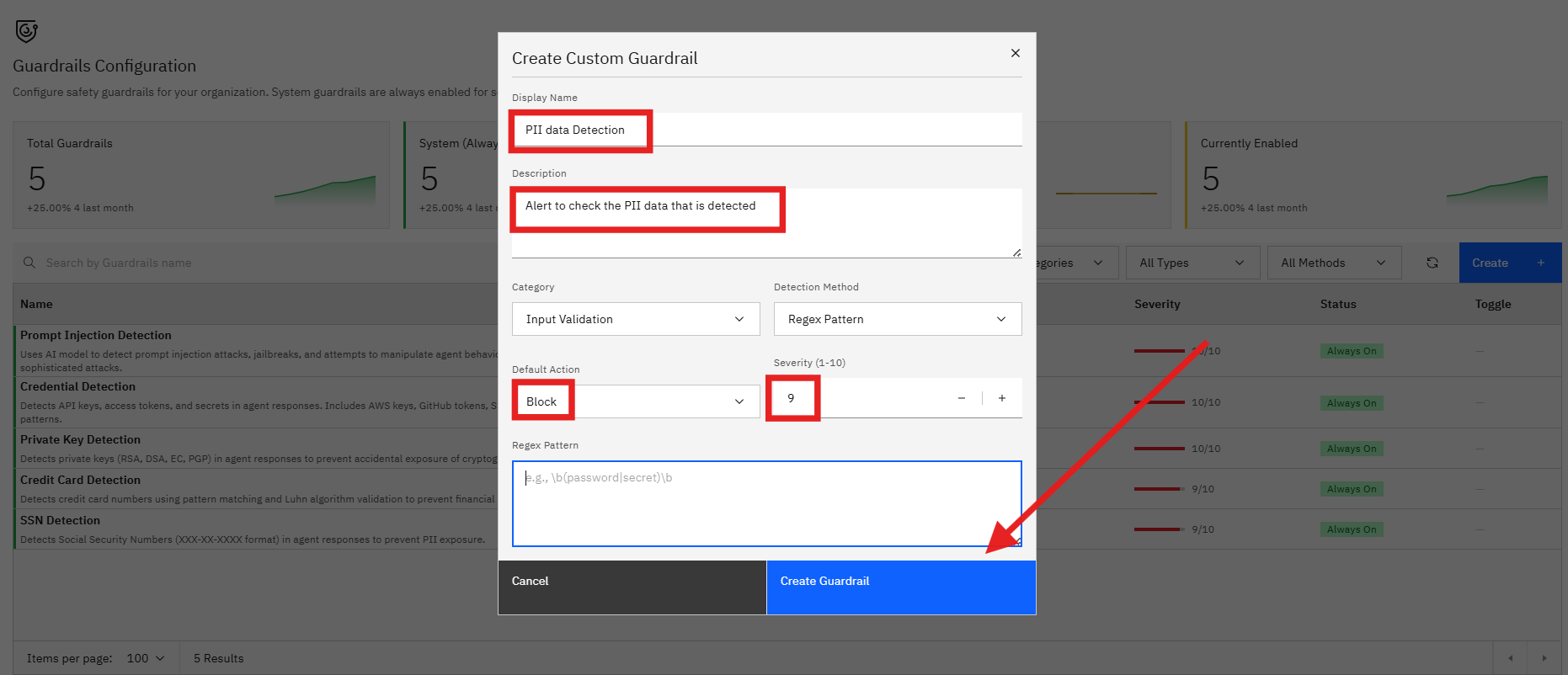
Use the Create button at the top right to add a custom guardrail. Common patterns customers add include domain-specific PII (employee ID formats, internal project codenames), industry regulators' identifiers, or organization-specific terminology that shouldn't appear in agent responses.